
Choosing between a VPN and a static proxy for Instagram starts with the traffic you need to route. Do you want a connection tool for your whole laptop, or a consistent exit for one authorized browser profile? Those are different requirements, even though both products can route traffic through another server.
The second question is address assignment. A VPN can offer a dedicated IP, while a proxy can use a changing shared pool. The product category alone does not tell you whether tomorrow's login uses the same exit as today's.
Compare coverage, encryption, assignment, maintenance, and failure behavior together. Neither product is an account-protection guarantee, and neither replaces strong recovery methods or the platform's official response to a security notice.
What a VPN usually covers
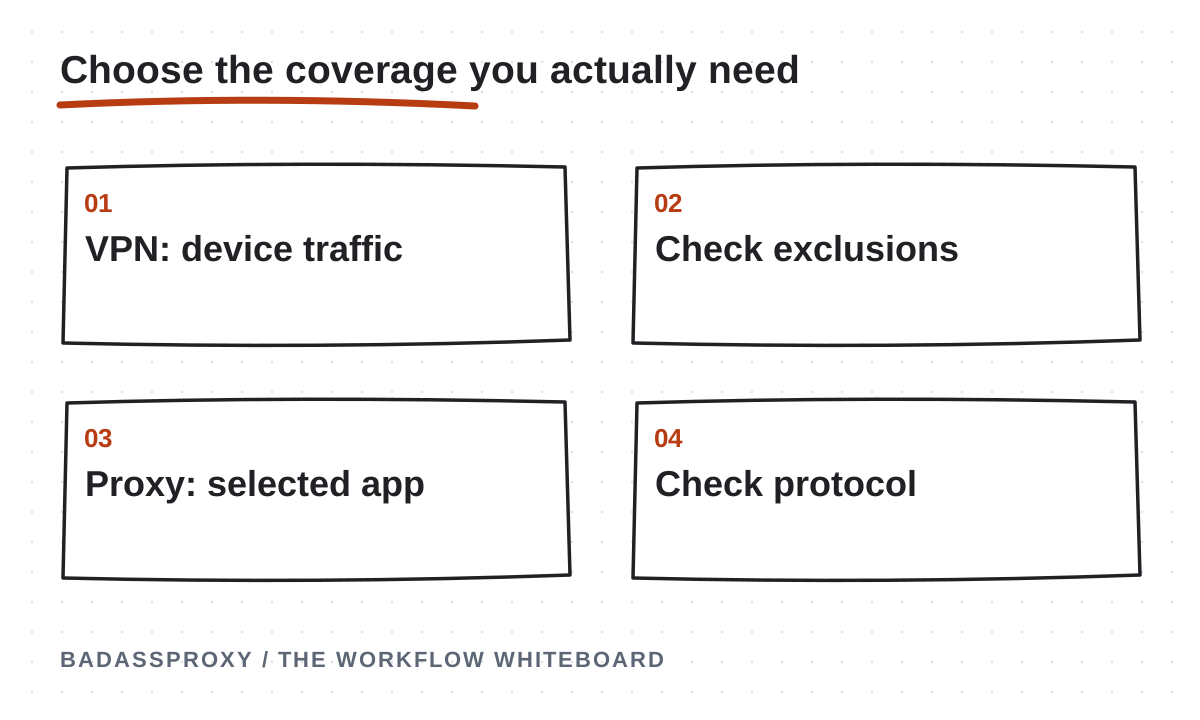
A typical consumer VPN creates an encrypted tunnel between your device and the provider's endpoint. Depending on the operating system and configuration, much of the device's internet traffic can travel through that tunnel. Split tunneling and other exclusions can change the coverage.
This is useful when you want a single connection policy for several applications. A browser, messaging app, and other supported traffic may use the same VPN route without separate proxy settings in each application. You still need to understand which traffic is excluded.
The VPN provider becomes another party in your network path. Evaluate its security practices, software maintenance, and support instead of assuming that encryption makes every service equally trustworthy. A VPN cannot make a phishing page genuine or prevent you from willingly entering credentials into one.
What a static proxy usually covers
A static proxy can be configured for one browser profile or a compatible application. That traffic uses the designated exit while unrelated applications may use their normal routes. This narrower scope can be useful for a managed social-media workspace.
For example, an AdsPower profile can have its own proxy configuration. A video editor running elsewhere on the computer need not share that route. The separation can keep network costs and troubleshooting focused on the application that actually requires a persistent exit.
Coverage depends on the application and protocol. Do not assume a browser proxy protects the whole device or handles every browser networking feature identically. Read the relevant documentation, verify the observed connection, and keep the scope written down for anyone who operates the workspace.
Encryption needs a precise explanation
HTTPS protects the connection between a browser and a genuine website when certificate validation succeeds. A VPN adds an encrypted segment between the device and the VPN endpoint. These are different layers, and modern HTTPS remains important with or without a VPN.
A proxy's connection to your device may or may not be encrypted, depending on its protocol and configuration. SOCKS5 by itself does not provide encryption. An HTTP proxy used to reach an HTTPS website is not the same thing as an HTTPS connection to the proxy server.
Ask the provider to explain the actual protocol rather than accepting “secure proxy” as a complete description. Never disable certificate validation to make a service work. Our public Wi-Fi guide distinguishes encrypted web traffic from broader device and network concerns.
Compare the plan, not the label
| Requirement | Typical VPN consideration | Static proxy consideration | |
|---|---|---|---|
| --- | --- | --- | |
| Traffic coverage | Often multiple device applications | Often one configured application | |
| Stable address | Dedicated IP may be an add-on | Confirm assignment and renewal | |
| Shared infrastructure | Many plans share exits | Static can still be shared | |
| Encryption | Tunnel usually encrypts device-to-server traffic | Depends on protocol and application | |
| Administration | Device client and routing settings | Profile settings and provider credentials |
This table describes common patterns, not every provider. Some VPNs support application-specific routing, and some proxy systems provide broader gateways. Read the plan details and test the features you actually need instead of treating a category comparison as a technical guarantee.
Address consistency is a separate decision
A traveler who repeatedly chooses VPN endpoints in different countries deliberately changes the apparent network route. A static proxy can keep one route stable, but so can an appropriately configured dedicated-IP VPN. Stability is a service property, not something unique to the word “proxy.”
Likewise, a rotating proxy is a poor match when your requirement is an unchanged exit. A sticky session may only last for a limited period. Ask what survives a reconnect, a browser restart, a renewal, and an underlying network change.
Our static IP guide explains those purchasing questions. No provider can promise that a stable address prevents a login challenge. The measurable benefit is a repeatable connection you can document, not a claim about Instagram's unpublished decision process.
Choose a VPN for a device-level requirement
A VPN may be a practical fit if you need one supported tool to handle several applications while traveling. Verify that your operating system is supported, the provider explains exclusions, and the connection behaves predictably when Wi-Fi drops or the device wakes from sleep.
If address continuity also matters, check whether the plan includes a dedicated or otherwise stable exit. Read the terms carefully: an advertised dedicated address can still require selecting a particular server or configuration rather than pressing the application's default connection button.
Your privacy objective should be explicit. A VPN can change what a local network observes, but it does not eliminate trust; it shifts part of that trust to the provider. Account security still depends on authentic websites, protected devices, and appropriate authorization.
Choose a static proxy for a profile-level requirement
A static proxy may fit when one persistent browser workspace needs a managed exit and other applications should remain independent. This is especially understandable when a team already organizes client work into clearly named, authorized profiles.
Keep the configuration limited to a documented purpose. Record which profile uses which service, who owns renewal responsibility, and where credentials are stored. Avoid placing usernames and passwords in ordinary project notes merely because the proxy feels less important than the social account itself.
Use our browser and static proxy setup guide for a practical sequence. If your existing personal account works well through your normal browser and connection, adding a specialized proxy may introduce maintenance without providing a benefit you actually need.
Combining them requires a routing plan
It is possible for a browser proxy connection to travel through a device VPN. That arrangement introduces two providers and additional routing behavior. It may meet a specific requirement, but “more tools” is not automatically a better security design.
Before combining services, draw the path from application to destination. Identify which exit the website should see, which component handles name resolution, and what happens when either service fails. Check the providers' compatibility guidance rather than assuming that every combination works correctly.
Test with non-sensitive browsing before relying on the setup. Verify the expected exit after reconnecting and changing underlying networks. If you cannot explain why both products are necessary, simplify the design. A connection that nobody understands is difficult to support during a travel emergency.
Use a small acceptance checklist
Confirm that the service works on your actual travel device and normal applications. Check the assigned exit, connection stability, latency, and upload behavior. Open a support request about a non-sensitive configuration question to learn whether the provider gives clear, specific answers.
Then test ordinary interruptions: closing the browser, restarting the connection, and switching between your trusted Wi-Fi and hotspot. Record what changes. If a service silently returns traffic to a direct connection after failure, decide whether that behavior fits your operational requirement.
These are service tests, not attempts to reverse-engineer Instagram. Do not measure success by whether a newly configured account avoids prompts for an afternoon. A short observation cannot establish that a tool changed the platform's security assessment or prevented enforcement.
Consider two very different travelers. One uses email, messaging, and several browsers on an unfamiliar network and wants consistent device coverage. Another already has a secure device routine but needs a particular client workspace to use an assigned exit. Their requirements, travel patterns, and responsibilities can lead to different choices without either product being universally better. Write the requirement before comparing subscription prices, and include the recovery path if the chosen service stops working. A clear fallback might be contacting the provider, postponing sensitive administration, or using a documented alternative connection. It should never depend on pretending a policy restriction disappeared when the network changed.
Keep the account-security work separate
Whichever route you choose, protect the account's email, enable two-factor authentication, and maintain recovery methods that survive a SIM change. Use available business roles for teammates. A common exit address does not make anonymous shared access appropriate.

If a policy notice or unexpected login appears, use the official support and security controls. Our Vietnam account-stability guide puts routing in that broader context, while the static versus rotating comparison examines assignment behavior in detail.
For a profile that needs a continuing assigned exit, compare BadAssProxy static residential options. Choose the plan around coverage, documented requirements, and verified behavior. A good connection choice makes the workflow understandable; it does not promise immunity from the platform's rules.
Compare three separate properties before choosing
Treat coverage, transport protection and address assignment as three separate questions. Coverage describes which traffic enters the configured route. Transport protection describes how particular parts of the connection are protected. Assignment describes whether the public exit remains the same or may change. A product can satisfy one requirement without satisfying the others, so a single label such as VPN or proxy does not finish the comparison.
Start with an application inventory. List the browser used for business work, the official mobile app, any desktop tools and the device carrying recovery methods. Mark which applications actually need a separately managed route. If the requirement concerns only one browser workspace, document that. If the requirement covers several applications, verify the proposed service's scope rather than assuming that a browser setting will cover them.
Next, identify what you mean by protection. Valid HTTPS protects the application's connection to the destination in ways that should not be confused with the connection to a proxy or VPN provider. Keep certificate validation intact. A routing product is not a reason to accept an invalid certificate, install an unexpected trusted certificate or enter credentials into an unfamiliar page claiming to repair the connection.
Finally, ask how the exit is assigned. Some products offer a repeated assigned address; others choose from changing infrastructure. Confirm the actual plan and configuration. A provider's general advertising may describe several products at once. Your operating requirement should reference the specific service you purchase and the behaviour you can verify from the relevant application.
Write a coverage map for your own devices
A useful map can be a short table with one row per application. Include the device, the application, the configured route and the person responsible for maintaining it. Add an observation column for a recent check. The map should explain the real setup, including applications that connect directly, rather than implying that every program follows the same route because one toolbar shows a connected icon.
For a browser proxy, perform the address check inside the configured browser profile. Opening another browser for the check may test a different route. For a VPN, review the product's actual settings and any exclusions relevant to your device. The details vary by implementation, so use the provider's current documentation and verify the applications that matter to your work.
Include mobile devices separately. A desktop configuration does not establish how the phone's native Instagram application connects. This is particularly important when the phone also receives recovery communication. Its role in account verification and its network route are distinct. Keep the owner's recovery methods available without assuming that every supporting device must share an identical network observation.
Update the map when software or work practices change. A new messaging application, a replacement laptop or a different browser can introduce a route you have not checked. The map does not need to record every packet. It needs to tell an authorised operator what the intended setup is and where to investigate when an actual observation differs.
Understand the trust relationship with a provider
Choosing a routing provider means relying on its infrastructure and operational practices. Evaluate the information it publishes about the purchased service, its support process and its terms. Do not assume that a paid service is automatically appropriate for every organisation, or that a familiar category label establishes the provider's identity, sourcing or handling of account information.
Keep the provider account secure. Use suitable account-security controls where available, protect the recovery email and limit who can retrieve connection credentials. A well-configured browser can still become difficult to manage if the service account belongs to an unavailable employee or an unmonitored email address. Ownership of the subscription is part of the operational design.
Ask practical questions that can be answered. Which protocols are supported? What traffic scope does the client configure? How is the address assigned? What happens during renewal or replacement? How do you report a connection failure? Keep the provider's answers with the purchase record rather than relying on a teammate's recollection of a sales conversation.
Avoid conclusions that the evidence does not support. A successful connection test establishes reachability and perhaps an observed route. It does not independently verify every privacy claim or establish that a social platform will accept a particular account action. Record those limits so the team can use the tool for its actual purpose without treating it as a universal guarantee.
A browser-only work requirement
Imagine an authorised contractor who needs a persistent browser workspace for one client. The contractor's other applications do not require the same route. A browser-level proxy may fit that scope if the application supports the provider's protocol and the connection behaves as expected. The decision begins with the work requirement rather than a blanket preference for proxies.
The contractor labels the workspace clearly, stores credentials in an approved location and checks the observed exit from inside that workspace. They document that the native phone application and other browsers are outside this configuration. The client retains ownership and recovery authority, while the contractor receives appropriate business permissions for the actual work.
During travel, the contractor checks a connection problem at the layer where it occurs. A failed proxy authentication test leads to configuration and provider support. An account-verification prompt leads to the official ownership process. Keeping those paths separate prevents a simple routing tool from being assigned responsibility for decisions it does not control.
This setup may be sufficient for the defined task, but it should be reassessed when the task changes. If the client later needs several applications covered, the original browser-only decision no longer describes the full requirement. Update the coverage map and evaluate the available options again. A good decision remains tied to the situation that justified it.
A requirement involving several applications
Consider an owner who uses a browser, a desktop application and another approved tool while traveling. The owner wants a managed route for all three. A VPN may be worth evaluating for that requirement, provided its actual configuration covers the relevant traffic. The word “VPN” alone does not establish that every application or network path is included.
The owner reviews the provider's documented settings and tests each relevant application with an appropriate harmless check. They record any exclusions and the observed route. If the service also needs a stable address, they verify that feature independently. Coverage and continuity remain separate acceptance criteria even when one product is intended to provide both.
The owner keeps normal security practices in place: valid HTTPS, updated software, protected recovery and careful handling of verification prompts. A connected VPN indicator is not evidence that a login page is genuine. When entering sensitive information, the destination and the account process still need to be correct.
This example shows why the best choice can differ between users with otherwise similar travel plans. One person needs a route for one persistent browser; another needs broader application coverage. Compare the specific requirements and the supported configuration. Avoid ranking product categories without identifying what the person actually needs them to do.
Evaluate a combined VPN and proxy setup carefully
Some environments contain both a VPN and a browser proxy. That can make the path harder to understand, because the two settings operate at different scopes. Do not assume a particular sequence or result without checking the actual configuration. Record the tools involved and test the relevant browser from the environment where it will be used.
Begin by asking why both tools are present. Each should have a clear purpose. If one was added during a past incident and nobody knows whether it remains necessary, investigate before preserving it indefinitely. More components create more settings and support dependencies. Their value should be explained by the operating requirement, not by the number of security-themed icons on the device.
When a combined setup fails, identify the smallest useful test. Check basic connectivity, then the applicable service state and the browser's configured route. Change one relevant variable at a time when it is safe to do so. Record the result so you can distinguish an authentication failure from a network reachability problem or an account notice.

If the arrangement remains difficult for the team to maintain, simplify it around the actual requirement. A supported configuration that an authorised colleague can explain is easier to troubleshoot than an improvised stack of tools. Keep a documented fallback and provider support path for any component on which important work depends.
Compare operational cost rather than only price
The purchase price is only one part of a connection's practical cost. Include the time needed to configure the actual applications, maintain credentials, handle renewals and investigate interruptions. A service that looks inexpensive can become burdensome if its behaviour is poorly understood or the team repeatedly configures the wrong workspace.
Count the products required for the real scope. A browser-only service may fit one workflow, while several devices or applications require a different arrangement. Check the current plan terms directly rather than assuming that one advertised price covers every device, assigned address or period. Keep the comparison specific enough that another authorised purchaser can reproduce it.
Include supportability in the decision. Who can open a support request? Can an authorised backup identify the subscription and its configuration? Are renewal notices reaching an actively monitored account? These questions do not establish a particular provider's quality, but they expose dependencies the team needs to manage regardless of which product it selects.
Revisit the decision when the work changes. A temporary travel need can end, and a small client workflow can become a larger team operation. Avoid renewing a tool solely because it is already present. The best ongoing choice is the one that still meets a documented need with a level of maintenance the organisation can sustain.
Test with representative work, not account experiments
Use connection checks that reflect ordinary authorised tasks. Confirm that the relevant application can reach public pages and perform its normal work under the intended configuration. Record the device, application version, network and time. These details make a later comparison meaningful without requiring an elaborate laboratory setup.
Do not use repeated sensitive account actions as a network benchmark. Password changes, identity checks and live advertising changes have their own consequences and should be performed only for a legitimate reason. A route can usually be investigated with less disruptive observations before you involve the account's normal workflow.
If you compare two products, keep the task and local environment as similar as practical. Note any differences you could not control. A result from one hotel connection on one day does not establish a universal performance ranking. It can still help you decide whether the particular setup is suitable for the trip or team you are planning.
Define the pass condition before testing. For example, the browser uses the intended route, an approved task completes and the operator can identify the support process. If the requirement includes broader coverage, test the other relevant applications too. A clear pass condition prevents the team from treating whichever product happened to connect first as the answer to every requirement.
Handle an unexpected login alert after a route change
Start with the alert's time, device and activity. Compare them with your own actions and authorised team work. The location label may reflect a network exit or a geolocation estimate, so it is one clue rather than a precise physical locator. An unexplained account change or unknown device deserves attention even if the displayed city looks familiar.
Check which route the relevant application used at the time. A recent VPN connection, proxy configuration or switch to mobile data may help explain the observation. Record what you can actually confirm. Avoid assuming that a plausible network explanation proves the session belongs to you when the activity itself remains unexplained.
Use the platform's genuine security controls when action is needed. If an ownership check is requested, follow the official process. A different VPN server or proxy address cannot substitute for the owner's verification. If you suspect compromise, secure the associated recovery channels as well as the social account.
After the incident, update the coverage map if it was incomplete. The goal is to make future alerts easier to interpret without teaching the team to dismiss them automatically. A useful map explains expected routing behaviour; it never turns a connection label into proof of who performed an account action.
Build a support request around the affected layer
For a VPN connection problem, describe the device, client state, relevant configuration and observed failure. For a browser proxy problem, identify the browser profile, protocol and non-secret endpoint reference. Include whether ordinary public connectivity works. Give the provider enough context to investigate its service without exposing account passwords or recovery codes.
For a platform account notice, use the appropriate official account process. Retain the exact wording and the affected asset. Do not ask a connection provider to resolve an enforcement or ownership decision it does not control. Keeping the two support paths separate reduces wasted time and helps each party understand the issue within its responsibility.
If the problem spans both layers, maintain linked but distinct tasks. One task may establish that the route works as configured, while another remains waiting for the owner's verification. Mark each result accurately. A successful network test is useful progress even when it does not close the account incident.
When support confirms a configuration change, record what changed and verify the affected workflow. Remove obsolete instructions from the team's working note. A solution that exists only in a private chat with the original operator will be difficult to maintain during the next handover or trip.
Questions to settle before departure
Do I need a VPN if the sites already use HTTPS?
HTTPS and a VPN address different parts of the connection. Start with your actual coverage and routing requirements, and understand what the chosen service provides. Keep valid HTTPS regardless of the route. The presence of a VPN should never be used as a reason to trust an unfamiliar destination, ignore a certificate warning or share an account-verification code.
Can a proxy provide a stable address while a VPN does not?
The answer depends on the specific products and settings. A static proxy can be sold with an assigned exit, and VPN offerings can have different assignment behaviour. Confirm the purchased plan rather than generalising from the category. If continuity is required, include it as an explicit acceptance criterion alongside coverage and application compatibility.
Which option prevents Instagram challenges?
Neither category guarantees the absence of security checks or account restrictions. Use legitimate ownership, approved permissions and secure recovery regardless of your connection. Evaluate the product for the routing service it provides. If Instagram presents a challenge, follow the official process instead of treating a new connection purchase as a guaranteed way to remove it.
Can I use a free service for business work?
Assess the actual provider, terms, supported features and operational dependencies rather than deciding solely from the price. Determine whether the organisation can support the arrangement and whether it meets the documented requirement. Avoid sharing sensitive configuration with an unknown service simply because it is immediately available during a deadline. A rushed choice can be difficult to unwind later.

Should the whole team use the same setup?
Consistency can make documentation easier, but people may have different legitimate application and access requirements. Standardise the parts that serve a shared need, and document approved differences. Native business permissions should still identify each person's role. A shared route does not establish who is authorised to use an asset or who performed a particular action.
What if a venue blocks the connection?
Record the actual error and confirm that ordinary connectivity works. Follow the venue's rules and the provider's supported troubleshooting process. Use an approved alternative network where appropriate. Do not treat every failure as an account restriction or repeatedly change unrelated account settings. The immediate issue may be the network path rather than the social account.
How do I know whether the proxy covers my phone?
A setting inside a desktop browser does not automatically configure the phone. Review the phone's own applications and network settings, using current documentation for any supported configuration. Test the scope you intend to rely on. Keep the phone's role in recovery separate from the route used by a desktop business workspace.
Make the final choice reviewable
Write a short decision record containing the required applications, coverage, assignment behaviour, supported configuration and responsible owner. Add the acceptance-check result and any unresolved limitations. Another authorised person should be able to understand why the product was selected without reading every marketing page you compared.
Include a review trigger. A new device, a changed team role, a different application or a renewal can justify checking whether the arrangement still fits. The decision does not need to remain permanent to be useful. It needs to be grounded in the conditions under which the team will actually use it.
If the requirement is a persistent browser with a consistent assigned route, continue with the static proxy setup guide. If the question is address continuity, read the static and rotating comparison. If the immediate problem is public-network reliability, use the hotel and coffee-shop Wi-Fi guide to separate network checks from account-security actions.
Choose the smallest understandable arrangement that meets the legitimate requirement, and maintain the ownership and recovery controls around it. The right comparison is specific to the applications, people and networks involved. That approach produces a practical decision you can test, explain and revisit when the work changes.
A decision worksheet for mixed-device travel
Consider a traveler with a laptop, phone and one important client workspace. Start by naming the task on each device. The laptop may handle approved publishing, while the phone receives owner-controlled verification or routine notifications. Those tasks do not automatically require identical routes. Decide what each application needs before choosing a product intended to cover the whole trip.
For each application, record the current route and proposed change. Include direct connections where they remain appropriate. A coverage map is incomplete if it lists only the tools you purchased and omits the applications that do not use them. The purpose is to describe the real environment, including its ordinary limits.
Next, record whether continuity is actually required. A browser workspace may need a repeated assigned exit for an operational reason, while another application does not. If a VPN offering is being considered, verify whether the particular plan meets that requirement. If a proxy is being considered, verify that the intended application supports its supplied protocol and authentication arrangement.
Write a separate line for transport protection. Identify the genuine destination and keep valid HTTPS in use. Consult the chosen provider's current documentation for the parts of the route its product protects. Do not turn a connected icon into a blanket statement that every application, destination and account action is safe.
Now identify the maintenance owner. Who purchases the service, receives notices and handles a configuration change? Who can act while that person is in transit? If the answer is unclear, resolve it before making the service essential to client work. Product capability and operational ownership are both needed for a dependable arrangement.
Review the decision with an interruption scenario
Walk through a realistic problem without making disruptive live changes. Suppose the browser cannot reach a public page after joining a new venue network. The operator should first establish local connectivity, then inspect the configured service. They should not begin by changing the social account password, because the observed symptom has not established an account problem.
Now consider a different scenario: the network works, but the genuine platform requests a code from the legitimate owner. The operator should identify the owner-dependent step and follow the official process. Switching between a VPN and proxy does not establish ownership. The worksheet should make this distinction clear enough that a new authorised colleague can choose the appropriate path.
Finally, consider an unexplained login alert. The operator compares the time, device and activity with the authorised work and documented route. If the event remains unexplained, they use the account's security controls. A familiar exit address does not prove the session is legitimate, and an unfamiliar city label does not by itself prove compromise.
These scenarios test the usefulness of the decision record. If each one leads to a clear responsible person and a relevant observation, the proposed setup is easier to maintain. If every scenario leads to buying another connection product, the record is probably missing ownership, recovery or application-scope details that should be resolved first.
Keep the final choice tied to those requirements and revisit it when the devices or work change. A good comparison remains useful because it explains the reason for the selection. It does not need to declare one entire product category the permanent winner for every traveler or every social account.
Keep the completed comparison with the current setup instructions, so the next authorised operator can understand both the selected coverage and its limits.