
A static IP for Instagram is useful when you need a repeatable network exit for an authorized workflow. Its value is consistency: the same configured browser can use the same assigned address while you move between an apartment, a coworking space, and a hotel.
That is a narrower benefit than many advertisements suggest. A static address does not make an account invisible, guarantee acceptance, or demonstrate ownership. Instagram users routinely change networks legitimately. The question is whether reducing unnecessary network changes makes your particular work easier to operate and troubleshoot.
Before buying, understand what stays static, which traffic uses it, and what happens when the service expires. Those details matter more than a promise that one address type is automatically trusted.
Three address behaviors to understand
A dynamic address can change when your internet provider reallocates it. The timing varies: some household connections keep the same public address for a long period, while mobile connections may behave differently. Dynamic does not mean a new address appears on every request.
A rotating proxy intentionally changes the exit according to its service design, perhaps between requests or after a session interval. A static service aims to keep an assigned exit available across repeated use. These labels describe assignment behavior rather than a platform's opinion of the traffic.
“Sticky” deserves special attention. A sticky session may retain an address only for a limited interval or while a device remains available. Ask whether the product promises an ongoing assignment or merely temporary continuity. Our static versus rotating comparison examines that distinction.
The address Instagram sees
On a typical network, your laptop has a local address used inside the building. The internet-facing address can be shared by many devices. When your browser uses a proxy correctly, the destination connection normally comes from the proxy's exit rather than that building's public gateway.
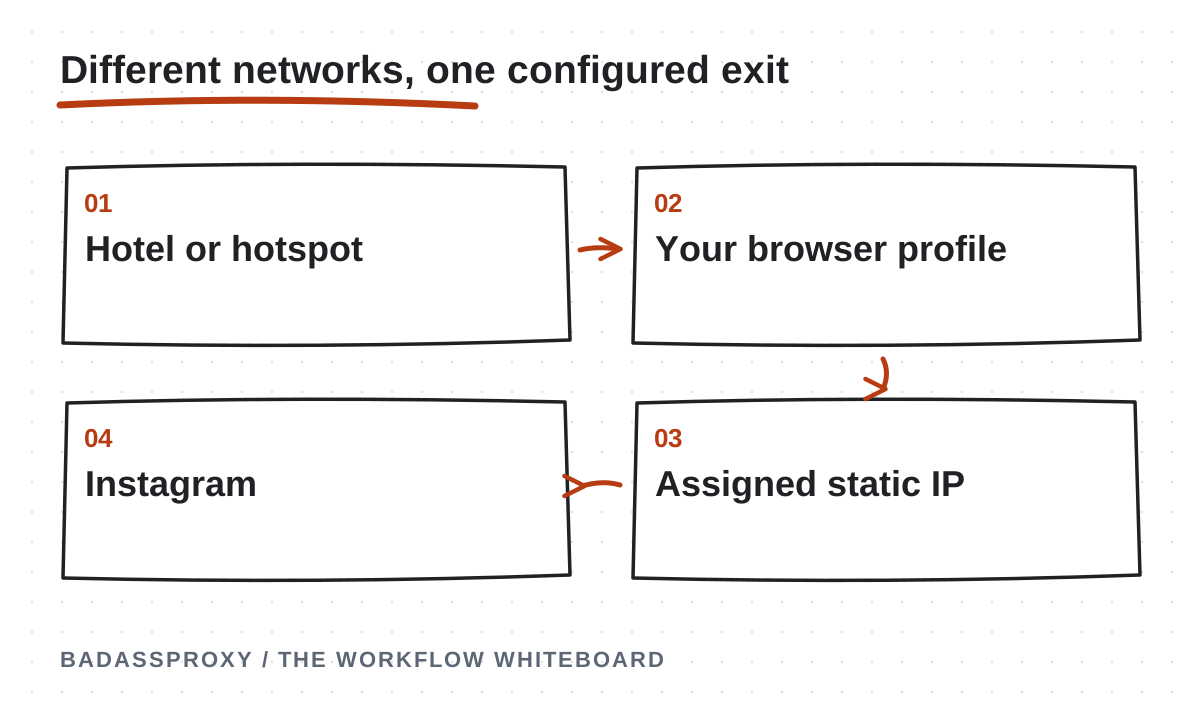
This lets an underlying network change without necessarily changing the configured browser's exit. However, the proxy cannot keep a disconnected laptop online. If the hotel Wi-Fi fails, the session still loses connectivity until the underlying connection returns or you switch networks.
Distinguish consistency from availability. A provider can promise an assigned address yet experience downtime. Your own network can fail while the provider remains healthy. Keeping those two responsibilities separate makes support conversations more precise and prevents unnecessary changes to a working profile.
Static, dedicated, and residential mean different things
Static describes whether the address persists. Dedicated describes exclusivity. Residential describes a network category or commercial product label. You can encounter a static shared address, a dedicated datacenter address, or an ISP-associated product hosted on server infrastructure.
Do not infer all three properties from a product name. Ask whether other customers use the same exit, how assignment is maintained, and what happens after a missed renewal. If the provider replaces an address during maintenance, find out whether you receive notice and configuration instructions.
Our residential and datacenter comparison offers a buying checklist. For a long-term browser workflow, the service contract and actual behavior are more informative than a label implying that every residential connection resembles a private household.
Why travelers consider a stable exit
Consider a creator who writes captions on apartment Wi-Fi, reviews messages through a hotspot, and finishes a campaign at a coworking space. A configured static route can keep that browser's network exit consistent across those ordinary changes.
The practical benefit is a clearer operating baseline. If an error appears, the creator can check the proxy status, browser session, and underlying connection separately. A small record of planned changes helps distinguish a provider outage from an expired login or unavailable recovery method.
This is an operational inference, not evidence that a particular address prevents security checks. Platforms use multiple signals and publish no universal safe number of IP changes. Our Vietnam relocation guide explains why consistency should be presented as a control rather than a guarantee.
Decide which applications need the route
A proxy assigned to an AdsPower profile applies to that profile's supported traffic. It does not automatically route the native Instagram app, a second browser, a desktop uploader, or every device connected to your router. Write down the intended boundary before setup.
If you need general protection for traffic across your computer, evaluate the device-wide options separately. A VPN may fit that requirement, while a static proxy may fit a specific browser workspace. Some VPN plans also offer dedicated addresses, so compare features instead of relying on labels.
Avoid casually stacking multiple routing tools. A VPN beneath a proxy can work, but introduces extra dependencies and troubleshooting steps. See VPN versus static proxy for Instagram before combining services. The simplest configuration that meets your requirement is usually easier to maintain.
Choose a location for a real workflow
Choose an available endpoint location that fits the legitimate operating requirements you can explain. A remote team may have documented infrastructure or contractual requirements. A traveler may simply want a reliable consistent route. Neither use requires inventing a false personal or business identity.
An exit location is not evidence of residence, tax status, advertiser eligibility, or access rights. Do not change account details to match a purchased address merely because a provider suggests it. Supply accurate information wherever the platform requests it.
Also consider distance and latency. Routing traffic through a faraway endpoint can make pages slower or uploads less dependable. Test normal work from your actual destination where possible, and ask about supported regions before committing to a lengthy term you have not evaluated.
Test before signing in
Start with the provider's current connection instructions. Confirm the protocol, hostname, port, and authentication method. Store credentials in a password manager and keep them out of screenshots, public notes, and support tickets unless a secure process specifically requires them.
Open the intended browser profile and check its external address. Close and reopen it, then check again. If practical, switch the underlying network and repeat. These observations show whether your setup maintains the assigned exit; they do not measure account trust or future enforcement risk.
Review the application's documentation for DNS, browser real-time communication, and connection-failure behavior where relevant. Do not assume a browser proxy covers every network feature. If the observed route differs from the expected configuration, resolve that discrepancy before making the profile part of important work.
Preserve the browser environment sensibly
A stable address cannot preserve cookies you delete. Keep the authorized workflow in a persistent profile and avoid routine resets that have no troubleshooting purpose. AdsPower can help manage separate profiles, but a personal browser profile may be sufficient for a single uncomplicated account.
Persistence does not justify outdated software. Install security updates and remove extensions you no longer need. If compromise is suspected, revoke sessions and rebuild the environment when necessary, even if that interrupts continuity. A familiar but compromised session is not a safe asset to preserve.
Secure the profile itself. Anyone who can open an authenticated browser may be able to act on the account. Device locks, encryption, appropriate workspace permissions, and careful handovers protect something a static network address cannot: who actually has control of the session.
Plan for renewal and replacement
Write down the expiry date, renewal method, and support contact. Check whether renewal retains the same address and what happens after a lapse. “Static” should never be interpreted as ownership of an address forever, regardless of payment or provider availability.
If replacement becomes necessary, treat it as a managed change. Record why the old endpoint stopped working, verify the new connection, and update the intended profile once. Do not repeatedly request replacement addresses while trying to diagnose a problem unrelated to the network.
For teams, assign someone responsibility for the subscription. A stable setup can fail simply because every operator assumes another person handles renewals. Basic administration often contributes more to dependable access than adding another layer of specialized software.
For example, write an acceptance note saying the assigned exit remained unchanged after two browser restarts and a switch to mobile data. Include the test date and intended application, but omit credentials. That record gives a future operator a concrete baseline to repeat. It is much more useful than a note claiming the connection is safe because a single login happened to succeed during the initial setup session.
Measure the result honestly
Evaluate whether your assigned address stays consistent, normal pages load reliably, support responds usefully, and the configuration is understandable to its authorized operators. Those are observable product outcomes. A short period without a verification prompt is not proof that the proxy prevented one.

Keep strong passwords, two-factor authentication, recovery access, and platform permissions in place. If the account receives a policy notice, follow the official process. Network consistency is one operational choice among several, not a substitute for appropriate behavior.
When a persistent browser connection is the requirement, review BadAssProxy static residential options. Confirm the current location, assignment, and term before buying. Choose a static IP because it solves a clear continuity need, and keep its limits as explicit as its benefits.
Turn “a stable IP” into a specific requirement
Before selecting a plan, finish this sentence: “This application needs the same assigned exit address because…” A useful answer identifies a concrete operating need. You may want an understandable route for a persistent business browser while traveling, a documented endpoint for a team workspace or a repeatable connection for troubleshooting. “It will stop every account problem” is not a requirement a provider can responsibly satisfy.
Name the application in the requirement. A proxy configured inside a browser profile does not automatically describe the route used by the Instagram mobile application, a desktop messaging client or another browser. Write down which traffic you intend to route and how you will check it. This avoids buying a technically suitable product and then applying it to only part of the workflow you meant to support.
Define how long continuity matters. A brief work session, a month of travel and a long-running client workspace are different operational commitments. Ask the provider what its assignment language means for the actual product, including renewal and replacement. Do not assume that a marketing label promises the address can never change under any circumstances.
Include the limits of the requirement. The address is a routing property, not proof of the account owner's identity or physical location. It does not replace platform verification, business permissions or secure recovery. Keeping those boundaries in the buying brief makes the resulting service easier to evaluate and prevents unrelated account problems from being misreported as failures of the static connection.
Separate the endpoint from the observed exit
Connection instructions may identify a hostname and port that your application contacts. The public exit address is what an external service observes for the routed request. These details can be related without being interchangeable. Record the configuration exactly as supplied by the provider, and record the observed result separately when you perform an appropriate connection check.
Use a simple diagnostic note: application, profile, configured protocol, endpoint reference, test time and observed address. Keep authentication secrets in the approved credential store. Someone reviewing the note should understand which workspace was tested without gaining access to the service merely by reading the ticket. If the provider requires a sensitive account identifier for support, send it through the appropriate private channel.
When the observed result differs from expectation, verify the scope before declaring an assignment problem. Make sure the check ran inside the configured browser rather than another application. Confirm that the saved settings belong to the profile you actually opened. If another VPN or routing tool is involved, describe it in the record so support can understand the path being tested.
A successful observation establishes what happened for that request at that time. Repeating the check after a deliberate network change can provide additional evidence about continuity. It still does not establish a social platform's internal assessment of the account. Keep the connection result specific, and use official account notices to decide whether a separate security or ownership action is required.
A practical acceptance check for a travel browser
Begin before the trip, while the account owner still has access to familiar recovery methods. Create or identify the authorised browser workspace and enter the provider-supplied connection details. Check the connection before signing into sensitive services. Record the application and profile name so the result cannot later be confused with a different browser window.
Confirm that the browser can reach an ordinary public page and inspect the observed exit using an appropriate address-checking service. Compare the result with the provider's assignment information. If they disagree, stop and clarify the configuration. Repeated account logins are unnecessary for diagnosing a connection that has not yet passed a basic routing check.
Next, perform a planned comparison from a second connection you are authorised to use, such as a personal hotspot. Keep the browser configuration unchanged and document the result. This is an illustrative acceptance procedure, not a claim that every network permits every proxy protocol. If the second connection fails, record the failure and investigate the actual network or protocol limitation.
Once the route behaves as intended, confirm that the account owner can complete the normal authorised workflow. Use existing legitimate access and comply with any verification request. Write the outcome in narrow terms: the browser used the assigned route and the owner completed the needed task. Do not translate one successful rehearsal into a guarantee about every future trip, challenge or platform decision.
Understand what persistence does and does not preserve
A persistent browser profile retains its own working state according to the application's design and configuration. A static proxy concerns the route used by configured traffic. Combining them can make a workspace easier to recognise and maintain, but the two features do different jobs. You can lose browser state while keeping an address, or change a route while retaining a profile.
This distinction helps with troubleshooting. If a site asks you to sign in again, inspect session and account context instead of assuming that the public address changed. If the observed exit changes, investigate the connection configuration and assignment rather than immediately rebuilding the profile. Each observation points toward a different set of questions, and unnecessary changes can erase evidence.
Persistence also requires responsible maintenance. Install relevant security updates and follow the browser vendor's supported procedures. Keeping a workspace consistent does not mean freezing software indefinitely. Document a planned update and verify the normal workflow afterward. If an update introduces a problem, the record should help identify the change without implying that updates themselves are undesirable.
For shared business operations, preserve ownership and permissions independently of the profile. A workspace containing an active session should be treated as sensitive. Native business roles and approved access controls remain the basis for who may use the account. A copy of a browser profile is not a substitute for authorisation, and it should not be casually transferred through a general file-sharing channel.
Questions to ask a provider about assignment continuity
Ask whether the product is described as static for the entire purchased period or whether another session rule applies. Request clarification about renewal, maintenance, unavailable endpoints and replacement. The purpose is to understand the supported behaviour, not to demand a promise that infrastructure can never change. Keep the response with the purchase record for future reference.
Ask whether the assigned resource is dedicated or shared, and what exactly that term covers. A static address does not by itself establish exclusivity. Similarly, a dedicated product description does not explain every aspect of the route or account policy. Evaluate the provider's actual terms and support response rather than filling gaps with assumptions based on a product name.
Confirm the supported protocols and authentication methods for the application you intend to use. A compatible hostname and port matter more than a long feature list unrelated to your browser. If your operating network changes frequently, discuss any relevant authentication dependency before travel. Record what the provider confirms and test the agreed arrangement using your real application.
Finally, ask how operational notices reach the purchaser and who can request support. An address assignment can be suitable while the team's renewal process remains weak. Choose a responsible owner for billing and technical communication, and make sure an authorised backup can find the service record. That small administrative step is part of maintaining continuity over time.
Read performance observations in context
A stable exit address does not guarantee identical performance on every underlying network. A slow hotel connection, a busy local network or a distant route can affect the working experience. Record which task was slow and under what conditions. “The upload took longer from this connection” is more useful than a broad claim that static proxies are always fast or always slow.
Choose a small set of ordinary observations relevant to your work. Check whether pages load reliably, whether an approved upload completes and whether the browser remains usable during the expected work session. Avoid generating heavy traffic merely to produce impressive benchmark numbers. The acceptance check should represent the workflow you are buying the connection to support.
When comparing services, keep the device, application and task as consistent as practical. Note the date and network used. A single measurement cannot establish universal performance, and a comparison made on different local connections may say more about those connections than about the provider. Treat results as evidence for your situation, with the conditions attached.
Separate performance from account outcomes. A fast connection does not establish that an account is secure, and a slow connection does not prove enforcement. If a platform presents a notice, read it independently of the speed observation. Maintaining separate records for routing, performance and account state helps the team select the right next action without guessing.

An illustrative travel setup with two devices
Imagine a consultant who manages an authorised business account from a laptop and also checks notifications on a phone. The consultant configures a static proxy inside one persistent browser workspace. The phone's native application continues using its own connection. Both devices are legitimate, but their traffic should not be assumed to share the same exit.
The consultant documents that scope before traveling. The laptop workspace has a clear name, a protected reference to its connection details and an acceptance-check record. The phone remains secured and available for the owner's approved verification methods. If an alert later shows a different location for phone activity, the consultant investigates it using the device, time and activity rather than assuming the browser proxy should have covered it.
During the trip, the laptop moves between an apartment connection and a personal hotspot. The consultant checks the configured route when needed and records any actual problem. They do not repeatedly rebuild the workspace or switch providers simply because the physical network changed. If a verification prompt appears, they use the official account process.
The example illustrates a manageable operating design. It does not imply that every traveler needs a proxy or that a laptop and phone must appear to use one location. The useful features are clear scope, legitimate ownership, protected recovery and a connection whose behaviour can be checked without confusing it with other applications.
Plan renewal before it becomes an outage
Record the purchased service, assignment reference, renewal date and responsible person in the operational inventory. Keep payment details and secrets in their proper systems. A colleague should be able to identify the subscription and contact the owner without seeing sensitive billing information. Where the provider offers notifications, make sure they reach an actively monitored account.
Review whether the service is still needed before renewal. A travel arrangement may have become unnecessary after a return to a stable office workflow. Alternatively, the same browser workspace may now support a longer client engagement. Reassess the requirement rather than assuming that every previous purchase should continue indefinitely.
If renewal is intended, confirm the product's current terms and any assignment implications with the provider. Do not infer continuity from an old invoice alone. Keep an authorised backup responsible for handling a missed notice or an unavailable purchaser. This is particularly useful when the main operator changes time zones or spends several days in transit.
After renewal or an announced service change, perform the relevant connection check and update the record. If the endpoint or assignment changes, document it accurately and coordinate the affected workflow. The objective is controlled maintenance. A static product can support continuity only when the people using it also maintain the account and configuration around it.
Prepare a proportionate fallback
A fallback starts with a decision about business impact. Which tasks can wait, which can continue offline and which require authorised platform access? Drafting content, reviewing creative assets and updating a schedule may continue during a connection interruption. Separate those tasks from actions that require a working session, and communicate the dependency clearly.
Record the provider's support path and the information needed to report a connection failure. Include the application, error, time and non-secret configuration reference. Keep the account's official recovery process separate. A connection support team can investigate its service, but it cannot supply the account owner's verification or reverse a platform restriction.
If you maintain an alternative approved connection, explain when it may be used and how the change will be recorded. Avoid a fallback policy that means randomly cycling through routes until something appears to work. A deliberate change with a known purpose is easier to assess and maintain. Any account verification prompted during the change should be completed through the official process.
After the primary service returns, decide whether the workflow should move back and who will verify it. Update the operating record so the temporary arrangement does not remain undocumented. A fallback is complete when the team knows the current route, the outstanding dependency and the next planned action, not merely when a page happens to load again.
Common questions about static IPs and Instagram
Does static mean residential?
No. Static describes address-assignment behaviour, while residential describes a network category used in a product's offering. Evaluate those properties separately. Also check exclusivity, protocol support and the purchased term. The residential and datacenter comparison explains why a single label is insufficient for selecting a connection for a real browser workflow.
Does a static proxy encrypt every application on my device?
Do not assume that it does. Coverage and transport protection depend on the application, protocol and configuration. A browser-level setting should be evaluated as a browser-level setting unless you have verified broader routing. Continue using valid HTTPS and appropriate device security. The VPN comparison separates coverage, encryption and address assignment in more detail.
Can I keep using the official mobile app?
Use the applications and access arrangements permitted for your account and organisation. A proxy configured in a desktop browser does not automatically control a native mobile app's route. Document the two environments separately and keep the owner's recovery methods available. Do not treat their different network observations as proof that either device is unauthorised.
Should I match the proxy's city to my physical location?
Choose service characteristics around a legitimate requirement and use accurate account information. IP geolocation is an estimate of network location, not a substitute for identity or physical presence. Do not change personal or business details simply to mirror an address lookup. If a platform requires a specific verification step, follow its current official instructions.
What should I do if the assigned address changes?
Confirm the observation inside the configured application and compare it with the provider's current assignment information. Check for a changed profile setting, product replacement or service notice. Contact support with a concise record when the result remains unexplained. Document the confirmed outcome rather than assuming that every difference represents a platform problem.
Is a static IP necessary for a single personal account?
Many people use legitimate accounts without a separately purchased static route. Start with the actual operational need, including recovery, device security and the way you work while traveling. A connection product may be useful for a defined browser requirement, but it should not be purchased as a universal prerequisite for owning or safely using an account.
Can one test prove that the setup will remain stable?
A test demonstrates the conditions it covered. You can strengthen the record by checking relevant network changes, renewals and configuration updates, but no finite rehearsal guarantees every future condition. Keep the test useful by recording what was observed and when. Avoid turning a successful address check into a claim about future account decisions.

Write an operating note that survives a handover
The opening line should identify the authorised workflow and its owner. Follow it with the application and profile name, the protected credential reference and the expected routing behaviour. A new authorised operator should be able to tell which workspace to open without guessing from several similar windows. Clear naming prevents ordinary mistakes that a more sophisticated connection product cannot fix.
Next, explain the acceptance check in plain language. State where it is performed, what result is expected and what to record if it differs. Include the support contact and renewal owner. Do not require the reader to understand every networking term before they can report a problem accurately. The note should connect an observation to the person who can act on it.
Add a short account-security reminder: use approved permissions, keep recovery with the legitimate owner and respond to official verification requests through the genuine platform. This is especially important when a browser workspace carries an active session. Access to the connection and authorisation to use the social account are separate responsibilities.
Review the note after a real change. If a provider replaces an endpoint, a colleague leaves or the laptop is rebuilt, update the relevant details and remove obsolete instructions. A stable route is most useful when it belongs to a well-maintained workflow. The purchase is one part of that workflow; ownership, recovery and clear records make the rest sustainable.
A connection worksheet for a real purchase
Use the following questions as a working document when discussing a static IP for Instagram with a provider. Answer only the questions relevant to your legitimate workflow, and distinguish a confirmed service term from an assumption. The worksheet is intended to make the decision reviewable. It is not a score that predicts account acceptance or replaces the platform's own requirements.
What exactly will use the connection?
Name the application, device and browser profile. State whether the requirement covers only that profile or additional applications. Add the authorised business asset and responsible operator without including its password. If the phone's native app is outside the configuration, say so explicitly. This single field prevents later troubleshooting from comparing two applications that were never intended to share a route.
What assignment behaviour is required?
Describe the relevant period and events, such as ordinary browser restarts, changes between approved local networks and renewal. Ask the provider which conditions its product supports. Record the answer beside the specific plan. Avoid replacing a detailed response with a shorthand label that loses important limitations. The person approving the purchase should understand the behaviour being bought.
How will the configuration be maintained?
Identify the protected credential reference, renewal owner and support contact. Explain who updates the intended profile if the provider changes its connection details. Include an authorised backup for times when the main operator is traveling or unavailable. The worksheet should connect each dependency with a responsible person, so an interruption does not begin with a search for whoever originally placed the order.
What evidence will show that setup succeeded?
Choose a harmless route check and the ordinary authorised task needed for acceptance. Record the application, time and observed result. If a second local network is relevant, include that comparison under controlled conditions. Keep the test separate from the account's ownership verification. A successful connection check can be completed even when the owner still needs to resolve an unrelated account prompt.
What happens if the observation differs?
State the first support path and the information to collect. The record should identify the profile, non-secret configuration reference, exact error and whether ordinary connectivity works. Do not include passwords or recovery codes. If the account itself presents a notice, use the official platform process and keep that task distinct from the connection investigation.
When should the product be retired?
Write down the condition that would make the service unnecessary, such as the end of a temporary browser requirement. Assign someone to review that condition before renewal. If the service is retired, update the application configuration and operating instructions deliberately. An unused subscription and an old saved endpoint should not remain part of the environment merely because nobody remembers their purpose.
Read the worksheet as a team
Ask an authorised colleague to explain the proposed setup from the completed worksheet. They should be able to identify the application, expected route, account owner and next action during a failure. If they cannot, improve the wording before relying on the service. A useful document makes responsibilities obvious without requiring specialist networking knowledge for every routine task.
Check for unsupported claims during that review. Remove statements that a static IP proves identity, guarantees a specific location display or prevents every challenge. Replace them with the actual supported behaviour and observed result. This keeps client communication accurate and helps future support requests focus on the layer that can be investigated.
Keep the worksheet with the current operating record and review it after significant changes. Its value is not the number of fields completed. Its value is that another authorised person can understand the legitimate requirement, maintain the configuration and recognise when a problem belongs to the account's official recovery process instead.
What should the operator say when the requirement is unclear?
Ask which application needs a managed route, for what legitimate purpose and for how long. Keep the purchase pending until those practical details are understood. The answer may reveal that recovery or business permissions need attention first. A clear requirement prevents a connection service from being assigned responsibility for an unrelated account problem.