You are sitting in Da Nang, but Instagram reports a login from another city. Before assuming the account has been stolen, separate your physical location from the internet route your device uses. Those can differ for ordinary technical reasons.
The opposite mistake is equally risky: dismissing an unfamiliar session because location estimates are imperfect. A city mismatch may be harmless; an unknown device posting messages at an unexplained time is another matter. Evaluate the complete event, not just the place name.
This guide explains the main sources of location confusion and a practical process for reviewing alerts. A static IP can make a configured connection more consistent, but consistency alone cannot tell you who is operating an account.
Physical location and network exit are different
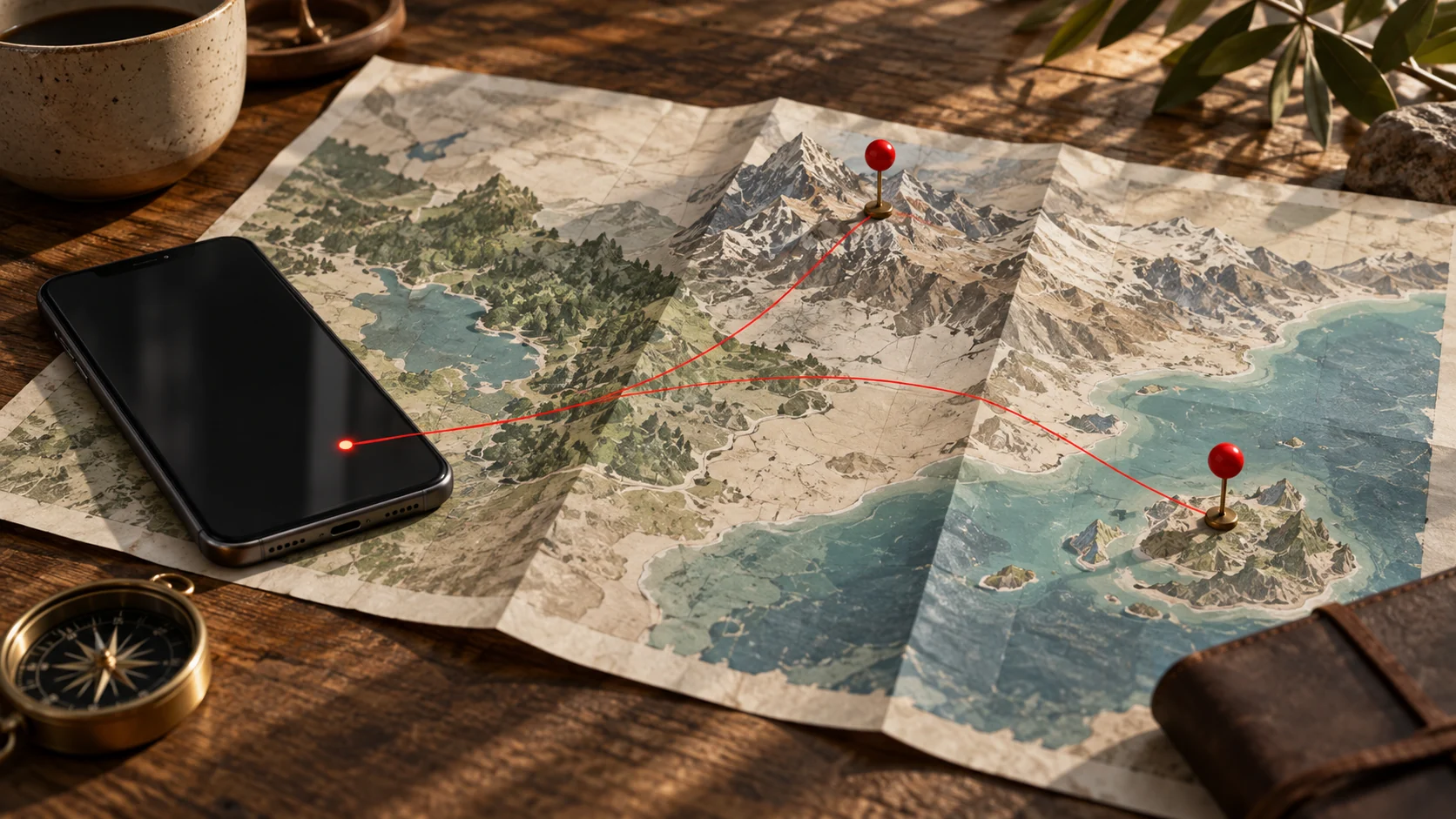
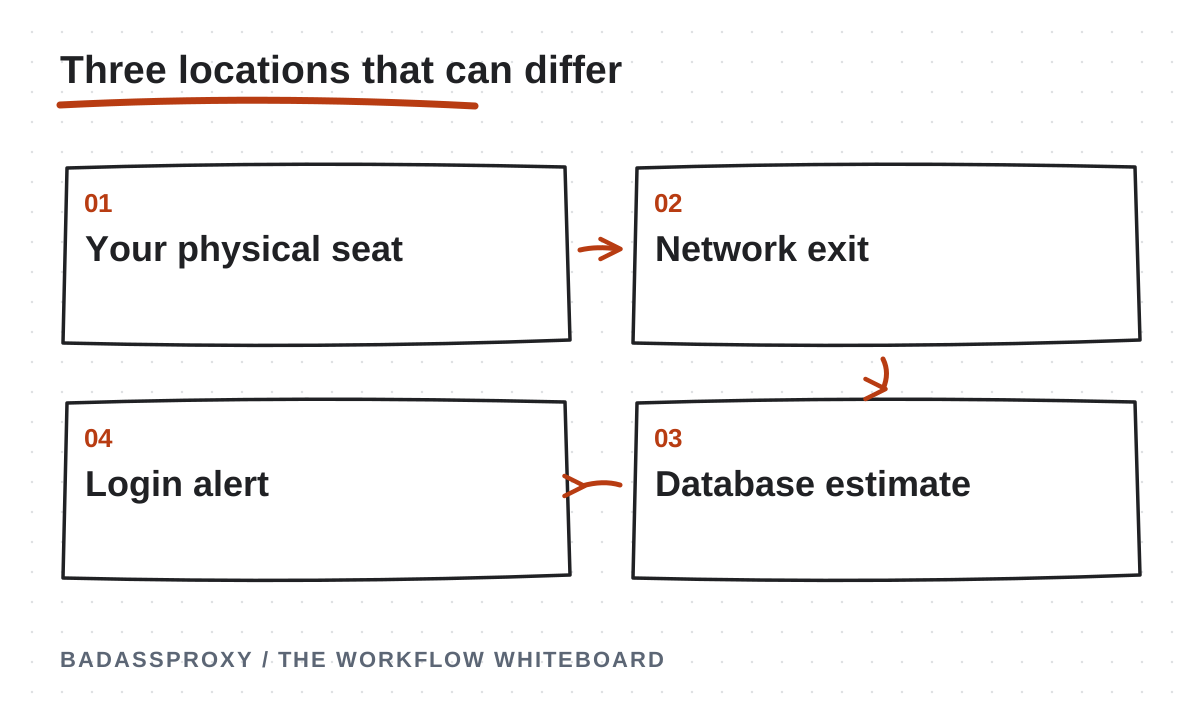
Your physical location is where you and the device actually are. Your network exit is the internet-facing point used for the connection. A location database may associate that exit with a city or region, which can differ from your seat in a hotel lobby.
A mobile carrier can carry traffic across its own infrastructure before it reaches the wider internet. A company network can use a centralized gateway. A VPN or proxy adds another exit. None of these arrangements requires your phone to be physically present where the gateway is located.
Also distinguish IP-based estimates from device location permissions. GPS and browser geolocation are different mechanisms. You cannot assume that a particular login notice is a precise GPS reading, nor that every platform feature uses the same source of location information.
Why geolocation databases disagree
IP geolocation services estimate where addresses are used from available network information. Their methods, update schedules, and confidence vary. An address can be reassigned or routed differently before every database reflects the change, so two lookup websites may show different cities.
MaxMind explains that its geolocation data has accuracy limits and cannot identify a particular household or street address. Mobile networks and privacy services can further limit the precision of an end-user estimate. That source describes its own data; it does not establish which database Instagram uses.
Avoid treating a third-party lookup as the final authority on a platform alert. It provides context about an address, not proof of account ownership. A mismatch is a reason to compare more evidence, not a reason to immediately change every account setting.
Mobile networks can look geographically broad
A travel SIM gives your device access to a carrier network, but the internet-facing infrastructure may serve a wide region. A visitor in one city may therefore see an address associated with another population center or network hub.
Changing from Wi-Fi to mobile data can also change the public address without moving the phone. The same applies when a carrier changes routing or a connection reconnects. These are normal networking possibilities, not evidence that a social account automatically becomes unsafe on mobile data.
Write down whether you were using your local SIM, roaming service, or a hotspot when the alert appeared. That small detail often makes a location discrepancy easier to understand. Do not include the SIM's private account credentials or recovery codes in your troubleshooting note.
VPNs and proxies show another exit
When a VPN or proxy routes a connection through an endpoint elsewhere, an IP-based location estimate generally describes that endpoint. Your physical position remains unchanged. A VPN set to Singapore can therefore explain a Singapore-related alert during an otherwise ordinary session in Vietnam.
Check the endpoint that was actually active at the time. Some applications reconnect automatically, choose a recommended server, or preserve a previous setting. Do not rely solely on what you intended to select. Review the client's status and the configured browser's external address.
Our VPN and static proxy comparison explains differences in coverage. A proxy attached to one AdsPower profile does not automatically change the route of your phone's Instagram app. Different applications on the same desk can legitimately use different exits.
Shared networks create another layer
Hotels, coworking spaces, and cafes can route many devices through a common gateway. The gateway's registered or estimated location may not match the venue's address. A large organization may operate connectivity through centralized infrastructure that covers multiple properties.
The visible address may also change during network maintenance or a switch between providers. That can coincide with a page reload or login without indicating a compromised account. Still, a familiar venue name is not enough to trust a hotspot that you have not verified.
Use the public Wi-Fi guide to distinguish connection behavior from security concerns. The important question is not whether every hotspot has a perfectly accurate city label, but whether the network and the session match activity you actually authorized.
Review the whole login event
Start with the time, allowing for the time zone shown by the interface. Compare the device or browser description with your equipment. Then consider recent actions: opening the app, signing in again, switching networks, or an authorized teammate accessing the business.
Review any related activity. Unexpected posts, messages, password changes, connected applications, or recovery-detail changes are stronger warning signs than an approximate city name alone. If a teammate was working, confirm through a trusted channel rather than assuming their presence explains everything.
Meta's Instagram security guidance describes login alerts and reviewing unfamiliar access. Use the current controls in your app, since menu locations can change. A screenshot of the event can help preserve evidence before you remove an unknown session.
A calm example of a harmless mismatch
Imagine opening Instagram on your usual laptop at ten in the morning. Minutes later, a login notification shows the same browser and a different Vietnamese city. You remember switching from apartment Wi-Fi to a hotspot just before signing in.
That pattern is consistent with a routing or geolocation explanation. Check active sessions and recent account activity to confirm there is nothing else unexplained. You do not need to manufacture a crisis solely because the city label is imperfect.
This is an illustrative scenario, not a diagnosis of every similar alert. The useful lesson is to combine evidence. Familiar timing, expected equipment, and your own network change provide a more complete picture than either trusting or rejecting the location field in isolation.
A different example that deserves action
Now imagine a session from an unfamiliar device while you were asleep, followed by messages you did not send. Even if you use a VPN and location estimates sometimes vary, the combined evidence deserves a security response.
Use the platform's available controls to remove access you do not recognize, change compromised credentials, and review recovery details. Secure the connected email account as well. If you cannot regain control, go directly to Instagram's official recovery page rather than a link sent by a stranger.
Preserve relevant evidence without delaying urgent protective action. Keep records private and redact personal messages before sharing them with support. A stable network setup is a future operational choice; it is not a substitute for responding to unauthorized activity now.
Make future alerts easier to interpret
Reduce needless switching between VPN countries and keep a simple record of your intended route. If one browser workflow needs continuity, a static IP can hold its network exit steady while the underlying Wi-Fi changes.
Reuse a persistent browser profile and keep software updated. Record intentional endpoint replacements and device changes. For a team, document who is authorized to use each account and how they notify the owner about sensitive changes. These practices improve your ability to explain events.
Do not try to force every device setting to match a purchased endpoint's city. Supply accurate account and business information. A proxy location is not evidence of residence or permission to access a restricted feature, and cosmetic consistency cannot establish identity.
Take care when comparing timestamps across borders. An alert may display a time zone different from your travel diary or a teammate's message. Convert both to one reference before concluding that you were offline during the event. Keep the original timestamp in your private notes so the comparison can be checked later. This does not excuse an unknown login; it prevents a simple timing mistake from becoming the basis of an incorrect explanation or an unnecessary recovery attempt.
Know what a stable address cannot prove
Several people can appear through one shared gateway, while one legitimate owner can use several addresses. Someone with stolen session access might also use infrastructure that appears familiar. That is why an IP address should never be treated as a password or an identity certificate.
A dedicated static service can reduce the number of changing network variables, but the owner must still control devices, sessions, recovery methods, and team permissions. If you are relocating, our Vietnam account-stability guide places connection planning alongside those responsibilities.
An unexpected place name is a clue, not a verdict. Check the route, compare the complete event, and respond through official security controls when something remains unexplained. If the account is actually restricted, use the login diagnosis guide to choose the correct next step.
Separate the three questions hidden in a location alert
A location alert often makes people ask several questions at once: where am I physically, where did my connection leave the network, and who used the account? Those questions are related but not identical. A traveler sitting in a hotel can use infrastructure elsewhere, and an address lookup can attach an approximate place to that infrastructure. Neither observation identifies the person behind the session by itself.
Begin with the ownership question. Did you initiate the activity at the stated time, on the stated device or application? Can an authorised colleague explain it? Did the account show any changes you did not make? These observations help determine whether the alert fits legitimate activity or requires an account-security response. The location label is useful context within that investigation.
Then examine the route. Identify whether the relevant application used mobile data, venue Wi-Fi, a VPN, a browser proxy or another approved arrangement. Use the actual configuration and available records rather than assuming the route from the device's physical location. If a browser and phone use different settings, record them separately.
Finally, examine the geolocation description. An address database provides an estimate, and different services may not display the same label. Record which service supplied the observation and when. Do not turn disagreement between labels into proof that someone accessed the account, and do not use a plausible label to dismiss unexplained activity.
Build a useful comparison record
Create a small private note for the event. Include the alert time with its time zone, the displayed device or application information, the activity you recognise and any unexplained account change. Add the route you believe was active and the evidence supporting that belief. A clear record prevents a team from discussing several different logins as if they were one event.
Keep the original wording of the alert where practical. Paraphrasing every notice as “Instagram thinks I am in another country” loses details that may matter. A screenshot can preserve the wording, but store it privately and remove sensitive information before sharing. Do not include recovery codes or unrelated account details in a general troubleshooting channel.
If you perform an address check, run it from the application whose route you are investigating. A lookup in another browser may describe a different connection. Record the observed address separately from the lookup's city or country label. That distinction allows support to investigate the actual network information rather than only a disputed map pin.
End the note with the next action. It may be an account-security check, a provider question or a documentation correction. State what remains unknown. A record does not need to resolve every uncertainty to be useful; it needs to help the legitimate owner choose a proportionate response without guessing.
Why phone and laptop observations can differ
A phone on mobile data and a laptop on apartment Wi-Fi are using different connections. Even when both devices belong to the same person in the same room, their traffic need not leave through identical infrastructure. A browser proxy adds another distinction if only the laptop's managed workspace uses it. Physical proximity does not establish a shared internet route.
Review each relevant application on its own terms. The phone's native Instagram app is not automatically covered by a proxy setting in a desktop browser profile. Another browser on the laptop may also connect differently. Write those scopes into the operating note so a later alert can be compared with the actual environment that generated the activity.
Use the account's available session information to connect the observation with your own actions. Device descriptions are part of the evidence, but they should be considered alongside time and activity. If something remains unexplained, use the genuine platform's security controls. A difference between routes is an explanation to investigate, not a reason to assume every session is legitimate.
The practical improvement is documentation, not forcing every device to present the same label. Choose connection tools around real application requirements and keep recovery methods usable. A simple, understood arrangement is easier to investigate than a complicated configuration created solely to make two map pins look alike.
Interpret time zones before comparing events
Travel changes the way people read timestamps. An owner in Vietnam and a colleague in Australia may describe one event using different local times. Before declaring that an alert arrived when nobody was working, identify the time zone shown by the platform or recorded in the available evidence. If the display is ambiguous, preserve that uncertainty in the note.
Convert times consistently in the internal timeline and retain the original value when it helps. You do not need a complex incident system for a small account issue, but you do need to avoid comparing unrelated local clocks. A message sent during an overnight flight can otherwise appear to precede or follow an event incorrectly.
Ask authorised teammates for factual confirmation. Which asset did they use, from which device, and approximately when? They should not need to send passwords or verification codes to answer those questions. Keep the account owner involved if the activity cannot be explained. A shared connection address is not enough to establish which teammate performed an action.
Once the timeline is coherent, compare it with the route information. A known login immediately after a planned network change may have a straightforward explanation, while an unexpected recovery change requires a different response. The time comparison helps organise the evidence; it does not replace the platform's account-security process.
Investigate a VPN or proxy location mismatch
Confirm the service and configuration actually in use. A VPN product may provide several choices, and a browser proxy may be tied to a particular purchased assignment. Check the current service record rather than an old screenshot or a remembered setting. If the relevant application is outside that configuration, its observed location should not be attributed to the tool.
Distinguish the provider's product description from a third-party lookup result. A provider may describe an assignment in one way while a database displays another label. Ask support to clarify the specific observation if it matters to the legitimate requirement. Include the observed address and the lookup source through an appropriate private channel.
Avoid promising a particular city label across every external service. Different databases and platform interpretations can produce different descriptions. The provider can explain its service, but it may not control how every website labels an address. Keep the acceptance criterion focused on the actual supported product and routing behaviour.
If a precise business requirement depends on a particular geography, discuss it before purchase and verify the relevant service conditions. Do not use a connection label to misstate account information or physical presence. Accurate business details and official verification remain separate responsibilities, regardless of what an address lookup displays.
Use multiple observations without creating false certainty
A second address lookup can help reveal that labels differ, but it does not create an authoritative vote about your exact physical location. Record the results and the service names if they help the investigation. Avoid spending hours collecting map pins when the real issue is an unexplained session or an inaccessible recovery method.
Look for agreement on the network observation before discussing the place name. If two checks report different addresses, confirm that they were performed in the same application and configuration. If they report the same address with different labels, the question concerns geolocation interpretation rather than a demonstrated route change.
Use official account activity information for the ownership investigation. A network lookup cannot tell you who changed a password, sent a message or added a recovery method. Those events need to be examined through the platform's controls and the legitimate owner's knowledge. Keep the two investigations connected but distinct.
Stop when the evidence supports the required decision. You may establish that a known login used the expected route while the city label remains approximate. Alternatively, you may need to secure an unexplained session without resolving the location label at all. The goal is an appropriate account action, not perfect agreement between every map on the internet.
An illustrative mobile-carrier scenario
Imagine a traveler who checks Instagram from a phone after arriving in a new city. A login notice displays another location, but the time and device match the traveler's own action. The traveler confirms the activity in the genuine application and checks for unexplained account changes. They do not conclude that the account is compromised solely because the city differs.
The traveler records that the phone was using mobile data and that no desktop browser configuration applies to the native app. An address lookup may provide additional routing context, but it is treated as an estimate rather than a physical tracking tool. The owner keeps normal recovery and security controls in place.
If the device or activity had not matched, the response would be different. The owner would use the platform's security controls and investigate the unexplained session. A carrier-based explanation would not be enough to dismiss it. This is why the scenario should not become a blanket rule that unfamiliar locations are always harmless.
The example is illustrative, not a statement about a particular carrier or country. It shows how several pieces of evidence can be considered together. The useful outcome is a documented, explainable event or a clear security action when the activity remains unknown.
An illustrative managed-browser scenario
A remote operator uses an authorised client workspace with a configured static proxy. The operator travels physically, while the browser continues using the assigned route when the configuration and service behave as intended. A platform's displayed network location may therefore differ from the operator's current seat.
The team documents the browser's scope and keeps the client's real ownership and business information accurate. The operator knows which profile to open and how to perform a harmless route check. The phone used for recovery is listed separately because its native applications may use a different connection.
When a location notice appears, the operator compares the time, workspace and activity with the scheduled task. If those details fit and no unexplained change is present, the route record provides context. If they do not fit, the operator escalates through the account's security process instead of declaring the session trusted merely because it used an expected address.
The value of the static route in this example is operational clarity. It can make one part of the browser environment easier to describe. It does not prove which person used the account, establish physical presence or override a verification request. Those limits should remain visible in the team's instructions.
An illustrative incident that requires account recovery
Consider an owner who sees an unfamiliar location and also discovers messages they did not send. The unexplained messages are a concrete account concern. Even if a network lookup offers a plausible explanation for the location, the owner still needs to investigate the activity through the genuine platform.
The owner uses a trusted device, reviews available security information and follows the official recovery route where appropriate. They also secure the recovery email and involve authorised colleagues who can help preserve evidence. Sensitive recovery material stays in the approved process, rather than being copied into a general discussion of the location alert.
The team records what is known: the unexplained activity, the relevant times and the actions already taken. They do not claim to know the attacker's physical location from an approximate network label. If the platform does not reveal a cause, the final incident note preserves that uncertainty instead of inventing one.
After control is restored, the team reviews permissions, devices and the operating record. Connection documentation may need improvement, but it is only one part of the response. The account-security issue is closed based on legitimate control and the relevant platform checks, not because a later map pin looks more familiar.
Avoid changes that do not answer the question
Changing an account's personal or business information to match a proxy's displayed location is not a sound troubleshooting method. Use accurate information and follow the platform's current requirements for legitimate administrative changes. A network label and a business address describe different things, and forcing them to match can create additional confusion.
Rapidly switching countries or providers can also make the record harder to understand. If the original question concerns one unexplained login, a sequence of new routes adds observations without resolving who performed that login. Make a connection change only when it serves a clear, legitimate purpose and record the result.
Rebuilding a browser profile is another change that may be unrelated to the issue. It can alter stored session state without answering the location question. Preserve useful trusted access when appropriate, and investigate the actual evidence first. If a profile change is necessary for a specific technical reason, document that reason and protect the account's recovery path.
Avoid turning a normal routing explanation into a guarantee. The fact that one alert was explained by your own travel activity does not mean the next unfamiliar session is safe. Each event should be assessed using its own time, device and activity. Good documentation makes that assessment easier without replacing it.
Prepare a concise geolocation support question
Identify the product or connection involved and state the observed address separately from the location label. Include the source of the lookup and the time of the observation. Explain the legitimate requirement affected by the mismatch. This gives support a concrete question rather than a broad claim that the internet is showing the wrong country.
For example, an illustrative request might say that the configured browser reports the assigned address, while a named lookup service displays a different city from the product description. Ask the provider to clarify the assignment and any relevant limitation. Do not include the social account's password or recovery information; those details are unnecessary for explaining a network label.
If the question concerns an Instagram alert, keep the account investigation separate. The connection provider can discuss its route and service description, but it does not control the platform's session display or ownership checks. Use the genuine platform's support process for unexplained account activity or verification problems.
Record the answer and its scope. A provider's confirmation of its assignment does not establish what every external database will display. If the answer leaves an important requirement unresolved, keep that dependency visible. Accurate support notes help the next operator understand both the confirmed facts and the limits of the response.
Questions about Instagram location while traveling
Does the login location show my GPS position?
Do not treat a login-location label as a precise physical locator. Different application features can use different information, and an approximate network description should not be confused with a device's physical position. For an account alert, compare the device, time and activity with your own actions. Use official security controls if the session remains unexplained.
Why does my hotel Wi-Fi show another city?
The displayed label may reflect the network's exit or a geolocation estimate rather than the room where you are sitting. That is a possible explanation to investigate, not proof that every session on the network is yours. Confirm the relevant device and activity, and keep unknown account changes separate from the question of the map label.
Will buying a static IP make every location label identical?
No provider should be assumed to control every external database or platform display. A static assignment concerns continuity of the configured exit under the product's terms. Verify the service you purchase and understand its limits. The location shown by a separate platform remains an observation to interpret in context.
Should I remove every unfamiliar session immediately?
Use the platform's current security controls and your knowledge of authorised activity. Investigate the time, device and actions, and act cautiously when the session cannot be explained. This guide cannot determine the legitimacy of a particular session from a city name alone. The owner should follow the official process appropriate to the evidence.
Can a teammate explain an alert from another country?
An authorised teammate's activity may provide relevant context, but confirm the actual task, device and time through a trusted channel. Do not assume that every event from the teammate's region belongs to them. Native business permissions and a clear activity record help the team attribute legitimate work without sharing recovery secrets.
Is a matching city enough to trust a login?
No. A familiar location label does not establish who used the account. Unexplained password changes, messages, permissions or recovery updates still require attention. Treat location as one piece of context within the ownership investigation. The concrete activity and the legitimate owner's knowledge remain essential.
Can I correct a database's location entry?
Some database providers offer ways to report inaccurate information, but availability and procedures vary. Use the relevant provider's current official process if correction matters to your legitimate requirement. A submitted correction should not be described as an immediate fix for every platform, because those platforms may use different data or update on different schedules.
What should I tell a client who is worried?
Describe the observed alert, the known authorised activity and the next check in plain language. Avoid promising that the location is harmless before reviewing the evidence. Explain any documented browser route without exposing credentials. If something remains unexplained, state the account-security action being taken and who is responsible for it.
Make future alerts easier to interpret
Keep a current inventory of authorised operators, devices and business roles. Add the intended route for important applications and the person responsible for maintaining it. The inventory should remain useful when a device is replaced or a colleague leaves. Remove obsolete entries so old permissions do not appear to be current authorisation.
Maintain a brief change log for significant travel, device and configuration changes. Record the purpose and the verified result rather than every ordinary page visit. This provides context when a later notice appears, while keeping the record manageable. Sensitive details belong in protected systems, not a general team calendar.
Use the travel security checklist before the next move and the static IP guide when a managed browser route meets a real requirement. Neither replaces the owner's recovery methods. Their purpose is to make the environment understandable so an actual problem can be handled at the correct layer.
The practical outcome is confidence based on evidence: you can explain a known login, identify a routing mismatch or recognise activity that needs a security response. You do not need every map pin to match your seat. You need legitimate control, usable recovery and an operating record that helps you respond accurately when something changes.
A worked alert-review worksheet
Use a private worksheet with separate fields for the alert, the known activity and the network observation. In the alert field, retain the displayed time, device information and location wording. In the activity field, record what the owner or authorised teammate can actually confirm. In the network field, identify the application and route that were in use, including any uncertainty.
Suppose the owner remembers opening the official app shortly before the notice. That is relevant context, but compare the exact device and activity as well. If the timing does not line up, check the time-zone interpretation before drawing a conclusion. If unexpected messages or recovery changes are present, treat those concrete events as account-security concerns regardless of the location label.
If a lookup is useful, record the observed address and the lookup source separately from its city description. Run the check inside the relevant application. A result from another browser or device may be correct for that environment while saying little about the session under review. This is why a worksheet needs application scope rather than just a collection of screenshots.
Write the conclusion in proportion to the evidence. You may be able to say that the event matches the owner's known activity and documented route. You may instead say that the device or action remains unexplained and the owner is using the platform's security controls. Avoid claiming to know a person's exact physical location from an approximate network label.
Keep useful uncertainty in the record
Some details may remain unknown even after the owner has taken the appropriate action. The platform may not explain how it produced a location label, or the provider may not control a third-party database's display. Keep those limits visible. A record can support a sound decision without resolving every technical question behind the interface.
Focus the follow-up on an observable improvement. Clarify the browser's route, update an outdated device inventory or confirm the recovery owner. Do not add unnecessary configuration simply to make a map look more familiar. The next alert should be easier to assess because the legitimate environment is better understood, not because the team has learned to ignore location differences automatically.
Keep the worksheet only as detailed as the incident requires and protect the information it contains. Its purpose is to support legitimate account control and accurate diagnosis. A concise record with clear evidence and responsibility is more useful than a confident but unsupported explanation repeated through several team conversations.