
If Instagram starts interrupting access after your move to Vietnam, it is natural to connect the two events. Perhaps the app requests a code, an unfamiliar location appears, or you cannot open an account that worked yesterday. None of those details, by itself, tells you whether the account was disabled.
The phrase “Instagram disabled Vietnam” covers several different problems. An enforcement notice requires a different response from a forgotten password, a suspicious session, or a broken connection. Your first job is to classify what happened before changing settings or purchasing another service.
This guide provides a practical diagnosis process for legitimate account owners. A stable connection can help organize future access, but a proxy is not an appeal service, an identity document, or a way to reverse a platform decision.
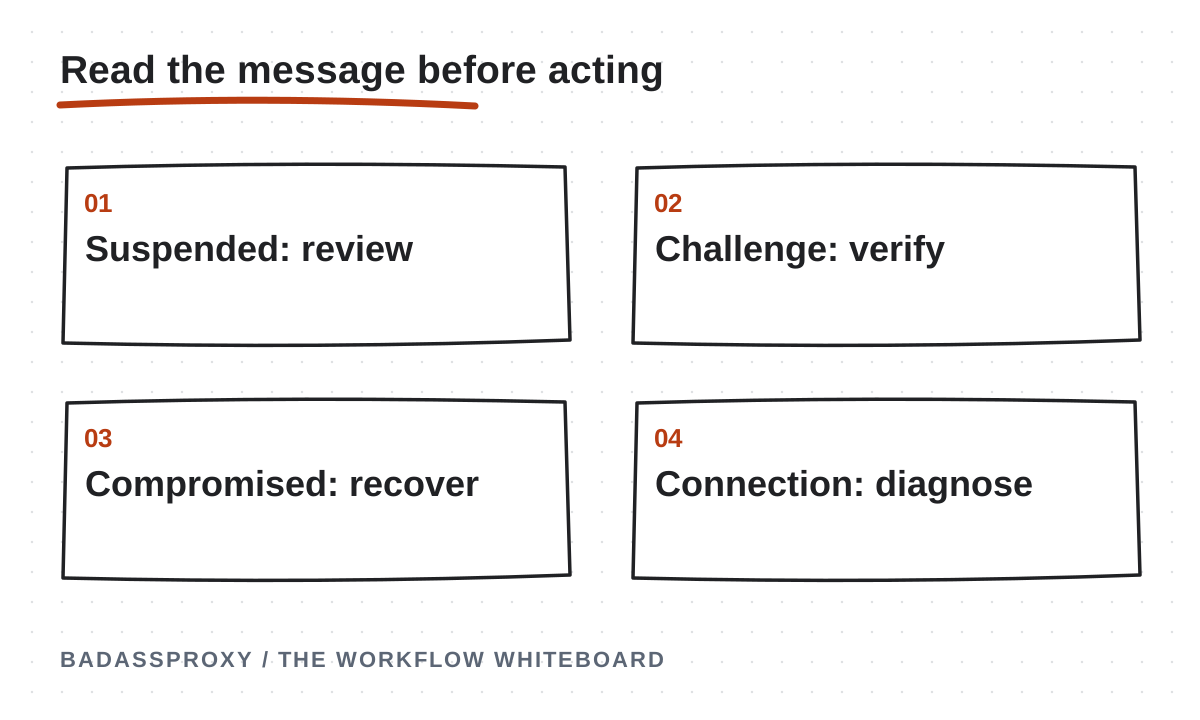
Read the exact notice
Open the official app or type the platform's address yourself. Record the message as written, including any deadline, reference number, or available review button. A screenshot is useful, provided you store it privately and remove personal information before sharing it with support.
Do not reduce the message to “banned” when asking for help. “The app asks for a login code sent to my old number” gives a support person something actionable. “The account is suspended and offers an appeal” identifies a completely different path.
Instagram's disabled-account help page may require signing in. Follow the current instructions displayed for your account, because eligibility and available review steps can vary. Avoid unofficial websites that copy help-page branding and then ask you to pay for a supposed internal contact.
Separate four kinds of interruption
An enforcement message concerns the account or its activity under platform rules. A security checkpoint asks you to establish authorized access. A suspected compromise involves activity or changes you did not make. A technical failure involves the app, browser, connection, or service availability.
These categories can overlap. For example, an attacker might change recovery details and then publish prohibited material. Even then, you need the official recovery process and an accurate record of events. Changing the IP address does not resolve either the stolen access or the resulting enforcement notice.
Before taking action, write one sentence describing the category and your evidence. If you cannot identify it yet, keep collecting facts. The discipline prevents a common mistake: treating every problem as a network issue because a proxy seller offers an immediate purchase button.
Why relocation complicates diagnosis
A move introduces several independent changes. Your device may now use Vietnamese mobile data, hotel Wi-Fi, a different time zone, and a new recovery number. A VPN can add another apparent location. You might also install a new app version or replace a damaged phone.
Those changes are normal travel events, not proof of abusive behavior. Meta does not publish a country-specific formula establishing why a particular legitimate traveler receives a challenge. The useful inference is narrower: more simultaneous changes make it harder to isolate which part of your access stopped working.
Our Vietnam account-stability overview explains how browser continuity and connection consistency fit together. It does not claim that Vietnam causes suspensions. Treat the relocation as context for your investigation, not a diagnosis that excuses ignoring the actual message.
If the notice describes suspension or disabling
Use the review or appeal route offered by the official application. Read the requested information carefully, provide accurate details, and retain confirmation of submission. If there is a deadline, prioritize it instead of spending days experimenting with network products.
Do not invent a new location, submit someone else's identity, or create replacement accounts to get around enforcement. An appeal needs truthful information about the account and the decision. No proxy provider can guarantee the outcome or supply a legitimate shortcut to Meta's review process.
Check whether the notice concerns the whole account or a specific feature. A restriction on advertising, messaging, or a piece of content is not necessarily the same as a disabled personal profile. Record the affected asset and action so you use the matching support channel.
If recovery details changed unexpectedly
Unexpected password resets, unfamiliar posts, changed contact details, or unknown sessions deserve immediate attention. Go directly to Instagram's hacked-account recovery. Also secure the email account that controls recovery, because regaining Instagram access will not help if someone still controls your inbox.
Use a device you trust. If you suspect malware or a stolen browser session, preserving that session is less important than removing unauthorized access. Update and inspect the device, change compromised credentials, and revoke sessions through the platform's available controls.
Tell authorized teammates what happened through a trusted channel. Ask them to pause sensitive changes and preserve relevant evidence. Keep communication factual: identify the account, suspicious event, time, and actions already taken. Never distribute recovery codes as part of an incident report.
If a code or identity check is requested
A verification prompt can be a normal ownership check. Confirm that you initiated the login and that the request is inside the genuine app or website. If the destination number or email is yours, use the method offered and keep the code private.
When the old SIM no longer works abroad, check whether another previously configured method is available. Backup codes or an authenticator may help if you set them up beforehand. Do not repeatedly request codes to a number you cannot receive; investigate the recovery options instead.
If the platform requests identity verification, follow its current official instructions. There is no universal proxy setting that removes the requirement. Record progress and wait according to the instructions rather than starting multiple conflicting recovery attempts from different devices and countries.
If the problem appears technical
Start with the least disruptive checks. Confirm that other websites work, finish the venue's legitimate captive portal, check the device clock, and install available security updates. A failed connection or expired session may look alarming without indicating any account enforcement.
If the account still works on one trusted device, avoid signing out of that device merely to reproduce the failure. It may provide a useful recovery channel. Compare the failing environment carefully: browser version, proxy status, network, and the exact point where the error appears.
Change one relevant variable at a time and write down the result. For example, test the network before rebuilding a browser profile. Avoid rapidly cycling through VPN countries. That adds uncertainty and cannot tell you whether the original problem was a password, session, or network failure.
Understand unfamiliar location alerts
An alert's city is not a precise physical locator. Carrier routing and geolocation estimates can make your own login appear elsewhere. That possibility is useful context, but it is never enough to dismiss a session whose device, timing, and activity you cannot explain.
Compare the alert with your own actions and any authorized teammate's activity. Check whether a VPN or proxy was active at that time. Our travel login-location guide explains why internet exit location and your actual position can differ.
If you remain uncertain, treat the session cautiously and use the platform's security controls. A static address can make future records easier to interpret, but sharing an address does not prove that a login belongs to you. Identity and network location are separate pieces of evidence.
Rebuild a calmer working routine
Once access is restored, keep recovery methods current and enable two-factor authentication. Choose a familiar device and persistent browser environment for important work. Schedule necessary account changes so you can verify their effects and recover if something fails.
If you need a managed browser workflow, AdsPower can organize a persistent profile and its proxy configuration. A static IP for Instagram can hold the configured network exit steady. Both are operational tools; neither replaces account ownership or compliant behavior.
For teams, give each person appropriate native business permissions and document handovers. Do not turn a recovered account into a shared login circulating through chat. The incident is an opportunity to clarify responsibility, not simply to buy a different connection and resume the same access confusion.
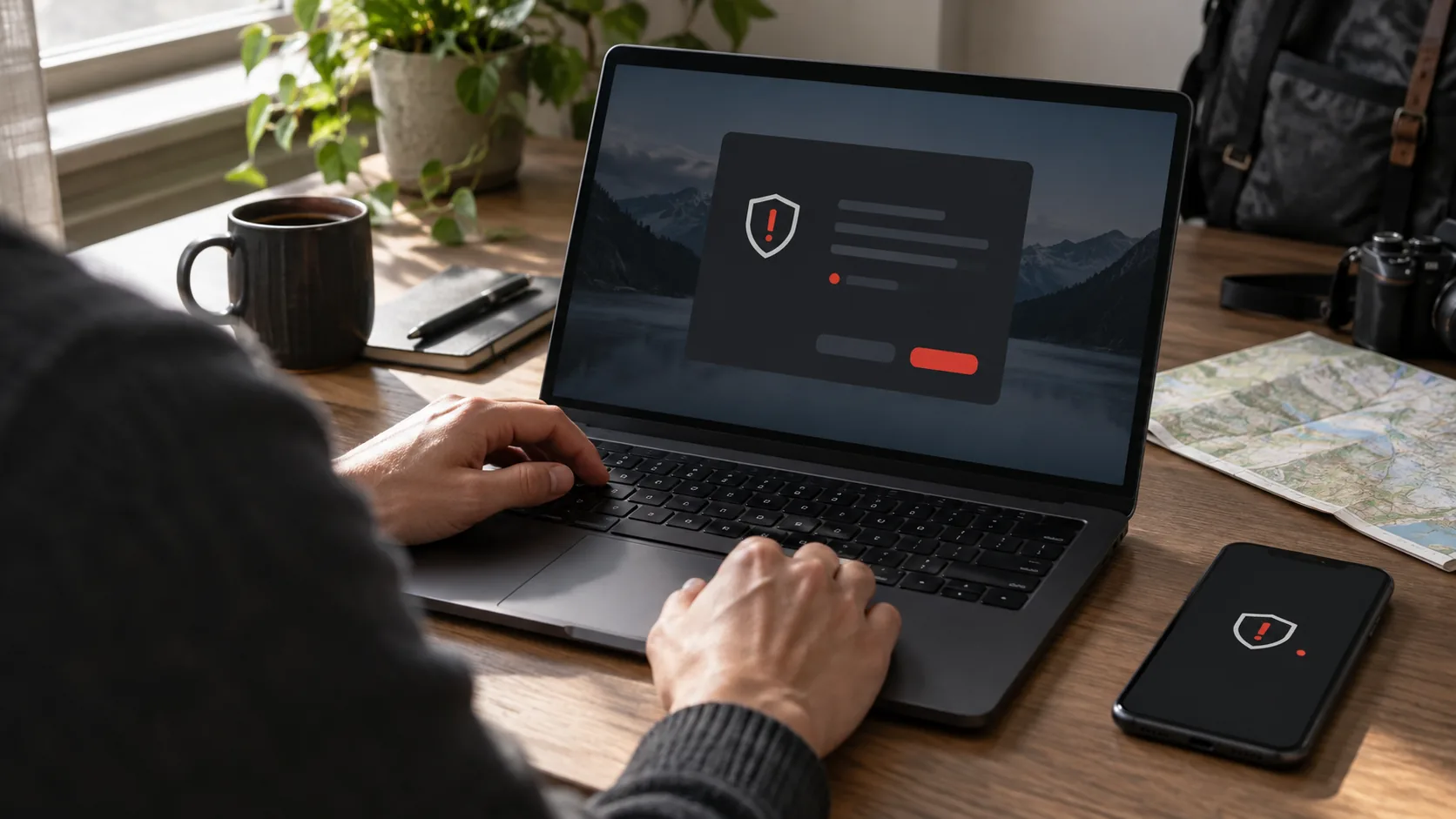
When contacting support, include the account identifier, the exact notice, the time it began, and whether you still control the recovery channels. Explain completed steps once. Clear evidence helps distinguish a request for review from a request to fix connectivity, while repeated vague reports can obscure the chronology.
Keep a useful incident record
Record the first error, affected account, device, approximate time, recent changes, and official support case details. Add the actions that worked and the ones that did not. Keep secrets and identity documents outside general team notes, using an appropriately protected storage location when required.
Before your next move, work through the pre-travel account checklist. Test recovery while you still have your usual phone number and devices. Preparation cannot eliminate every verification request, but it can stop an ordinary challenge from becoming a business emergency.
Vietnam itself is not the answer to why access failed. The answer begins with evidence: enforcement, verification, compromise, or a technical problem. Choose the official response that matches, then simplify the environment you control.
Build a timeline before attempting another fix
A useful timeline starts with the last access you can confidently identify as your own. Write down the approximate time, device, application and activity. Add the first interruption, the text of the notice and any recent changes you made. A move from your usual home connection to an apartment in Vietnam belongs on that list, alongside a new phone, password change or unfamiliar application. None of those entries is automatically the cause.
Keep observed facts separate from explanations. “The page requested verification after I connected the new laptop” is an observation. “Vietnamese internet disabled the account” is an explanation that the observation does not establish. This separation matters when an incident involves several people. Otherwise, an early guess can be repeated as fact and steer everyone toward connection changes while an actual recovery problem remains unresolved.
Include your own troubleshooting actions. If you changed a password, requested a code or submitted an appeal, record that action and its result. A blank result can simply say that you are awaiting the official response. Do not invent a success or failure because nothing happened immediately. The timeline should let the legitimate owner see what has already been tried without repeating a sensitive action unnecessarily.
A compact record is usually enough. Use dates with a named time zone, because a traveler in Vietnam and a colleague in Australia may describe the same event using different local times. Keep exact account identifiers and supporting documents in the appropriate private system. A general operations channel needs the status and next action, not an unredacted screenshot of the owner's recovery information.
Treat the working device as useful evidence
An account may still be accessible on a familiar phone while a browser presents a challenge. That distinction narrows the investigation. It suggests that you should understand the failing environment before assuming that every form of access is gone. Check the official account settings available on the working device and record relevant security notices. Avoid signing out merely to make the two devices behave alike.
A working session is not proof that no compromise occurred. Review unfamiliar activity and account changes using the platform's controls. If you identify an unknown session or an unexpected recovery change, follow the account-security process even when your own device still works. The question is whether legitimate control is intact, not simply whether one screen continues to load.
Protect the device while you investigate. Keep it charged, physically secure and available to the owner. Do not give a remote helper unrestricted access to it. If the device itself appears compromised, prioritise a trusted environment and official recovery rather than preserving a potentially stolen session. The correct decision depends on the evidence, so record why you chose a particular path.
For a business account, designate one incident lead. Other authorised teammates can collect facts or maintain unrelated work, but they should know who is coordinating recovery. This reduces conflicting changes and makes support communication easier to follow. The lead does not need everyone's password; they need a clear description of the problem, the responsible owner and the current official recovery step.
Read business restrictions at the correct level
A person may use one login to interact with a profile, a Page, an advertising account and other business assets. An interruption affecting one asset should be recorded at that level. If an advertising action is unavailable but the profile remains accessible, write that down explicitly. Calling the entire situation “Instagram disabled” can hide the distinction that determines the appropriate support route.
List the affected operation in practical terms. Can the owner sign in? Can an authorised colleague open the business asset? Is publishing unavailable, or is only one feature restricted? Use the information visible in the official interface. Do not run unnecessary experiments with live campaigns or customer messages simply to create a more complete test matrix. A safe observation is more useful than a test that changes business activity.
Confirm who owns the affected asset and which person has authority to request review. An outside contractor may be able to report the incident without being the person who can complete an ownership check. Keep that distinction clear in the handover. If the owner must act, record the exact requested action and the official location where it appears, then continue work that does not depend on the restricted feature.
A browser profile or static proxy cannot transfer that authority. These tools may help keep an approved workspace organised, but the platform's account and business permissions determine who may use the asset. When access returns, review those permissions so future incidents do not depend on discovering that only a former employee controls an essential recovery channel.
Prepare an accurate support message
A useful support message answers four questions: which asset is affected, what the official notice says, when the issue began and what the owner has already done. Add whether a trusted device still has access and whether recovery email or phone access remains available. Keep the narrative short enough that the next person can identify the unresolved step without reconstructing a long chat history.
For example, an illustrative report could say: “The owner can open the account on the existing phone. The newly configured laptop requests a code to the owner's previous number. The owner has not changed the password during this investigation. We need to follow the available recovery method for the unavailable number.” This example describes a verification problem; it does not imply a suspension or promise a particular recovery option.
A different report might say: “The official application displays an account suspension notice and offers a review action. The owner submitted the requested information and retained the confirmation. We are awaiting the response shown in the official process.” Here, purchasing a connection service would not be a meaningful next step. The report directs attention to the actual review state.
Never include passwords, backup codes, full identity documents or unrestricted session exports in a general support ticket. If official support requires sensitive material, follow the verified submission process and its current instructions. An unsolicited direct message claiming to represent platform staff is not enough to justify sharing it. Verify the channel independently before taking an action that exposes control of the account.
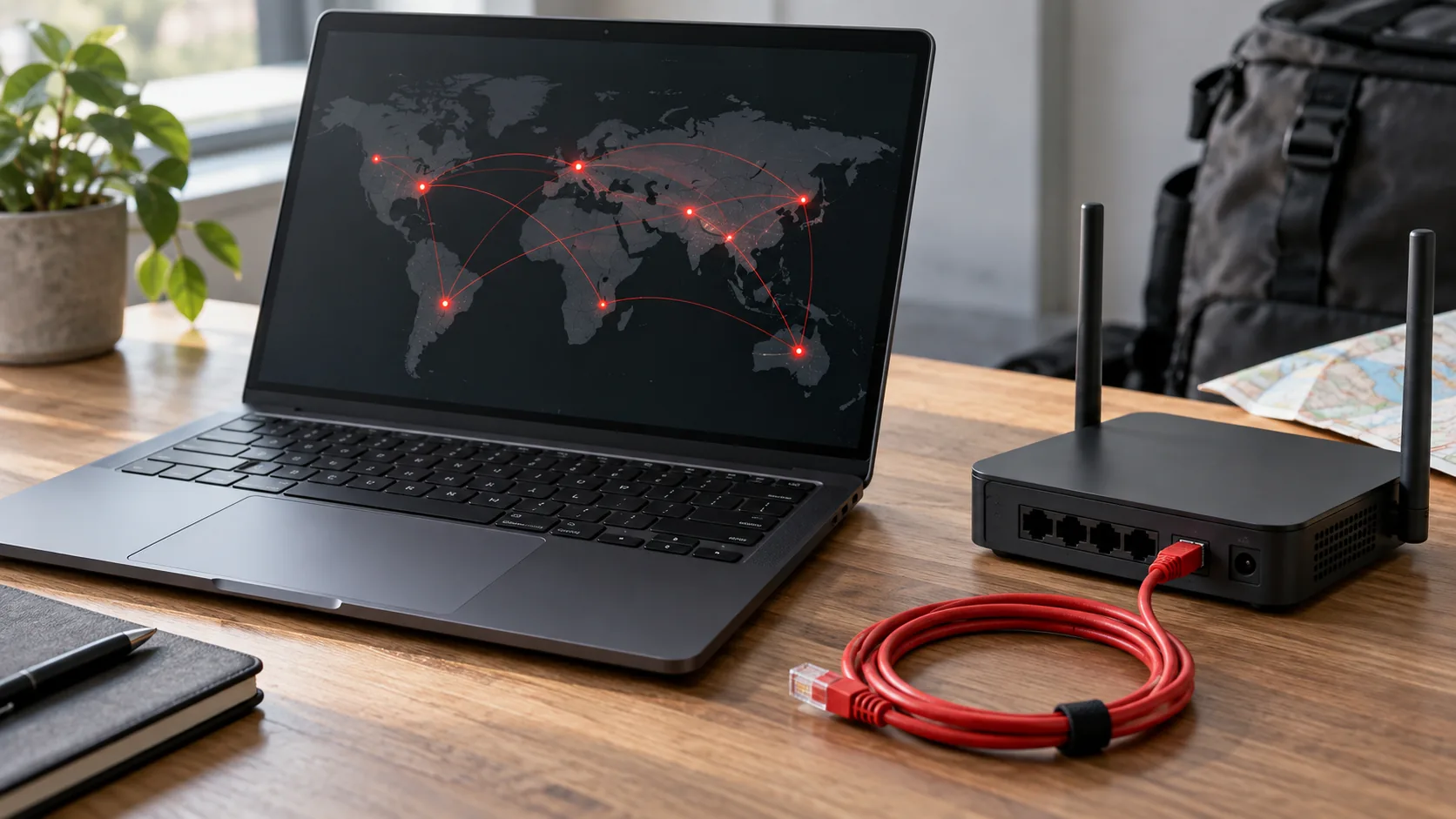
Diagnose connection failures without confusing the account state
Begin with a harmless connection check. Confirm that the device can reach an ordinary public website and that the intended network is connected. If the venue uses a captive portal, finish the legitimate network sign-in before investigating the social account. A browser that cannot reach the internet has not demonstrated anything about the account's standing.
Next, identify whether the affected application uses a proxy or VPN. A configured browser may follow a different route from the phone's native app. Record the actual scope of the setting instead of assuming that every application shares it. If a proxy check fails, inspect the provider-supplied protocol, endpoint, port and authentication arrangement without exposing credentials in screenshots or shared notes.
Where a network comparison is appropriate, change one connection condition while keeping the rest of the observation stable. Record whether a public page becomes reachable and whether the original error changes. Avoid moving rapidly between numerous countries or providers. That produces a sequence of different environments without establishing which component failed in the first one.
Stop connection troubleshooting when the evidence points elsewhere. A reachable official page that explicitly requests an ownership check requires the account's verification process. A suspension notice requires the offered review route. The connection investigation can be closed with a narrow result, such as “the browser reaches the service,” while the separate account task remains open.

An illustrative verification incident after a move
Imagine an account owner who arrives in Vietnam, inserts a new SIM and begins using a replacement laptop. The browser asks for a code sent to an old phone number. The owner describes this as another disabled account, but the visible prompt contains no suspension notice. The immediate requirement is access to an available official verification method.
The owner records the prompt, checks the trusted phone that still holds a legitimate session and reviews the recovery methods available through the official application. A colleague confirms that no business permissions were intentionally changed. They avoid making several password and network changes while the owner works through the verification options. The notes identify the unavailable number as a dependency, without claiming that a proxy can remove it.
After legitimate access is restored, the owner reviews recovery arrangements for future travel. They also decide whether the browser needs a managed route for normal work. That decision happens after the incident category is understood. A static connection might support the later operating routine, but it was not the mechanism that established ownership in this example.
The lesson is the order of operations. Read the prompt, preserve useful access, involve the owner and use the official process. Then improve preparation. The scenario is illustrative rather than a customer case study, and it does not imply that every account will expose the same recovery choices or reach the same outcome.
An illustrative compromise incident with a misleading location
Consider a different situation: an owner notices a login location they do not recognise and also finds a recovery email change they did not request. The city estimate alone is ambiguous, but the unexplained account change is concrete evidence requiring attention. A familiar-looking network label would not make that change harmless.
The owner goes directly to the official recovery route from a trusted device and secures the associated email account. Authorised colleagues pause sensitive changes and preserve relevant notices. Their incident record distinguishes what is known from what remains uncertain. They do not post the recovery messages into a large team channel or ask an unverified helper to take over the device.
Once legitimate control is re-established, the team reviews active access and the devices used for the account. They update the operating instructions to reflect what actually changed. If a connection configuration contributed to confusion, they clarify its scope and expected route. That improvement makes future alerts easier to investigate without turning location into a substitute for ownership checks.
This example demonstrates why a blanket answer such as “use a different IP” is inadequate. A connection change does not secure a compromised inbox, remove an unknown administrator or establish who changed account details. The response must address the affected layer, and the record should state what evidence supports closing that part of the incident.
What to do while waiting for an official response
Waiting does not mean every useful task has stopped. Preserve confirmation of the submitted request, check the official communication channel according to the instructions provided and make sure the owner can receive the response. Keep the next action and responsible person visible. Avoid creating a new account of the situation each time a teammate asks for an update.
Continue independent business work where appropriate. Prepare content offline, organise approved assets or update the internal schedule without attempting restricted actions. If client delivery is affected, describe the practical impact honestly. Do not promise a restoration date that the platform has not provided. A clear operating update is more valuable than repeated speculation about a supposedly faster recovery service.
Use the interval to review dependencies that do not interfere with the open request. Confirm ownership of the recovery email, document authorised business roles and check that essential records are accessible to the correct people. Keep proposed changes separate from actions already completed. That prevents a preparation note from being mistaken for a change made during the incident.
When a response arrives, read it in the official channel and update the timeline. Record the next required action or the observable restoration of access. An email claiming success should be checked against the account's actual state. Closing the incident requires a verified outcome, not merely the passage of time or the absence of new alerts.
Recovery mistakes that create avoidable confusion
The first mistake is treating every interruption as the same event. A password error, a security checkpoint and an enforcement notice may all stop work, but they provide different evidence. Retain the exact wording rather than replacing it with a dramatic label. The resulting record will be easier for both the owner and a support specialist to use.
The second mistake is allowing too many people to change settings independently. A well-meaning colleague may reset a password while another submits a review and a third installs a new browser. Each action may be understandable in isolation, yet together they obscure the sequence. Agree on the lead, the next action and the point at which the result will be reviewed.
The third mistake is paying for certainty that nobody can substantiate. Claims of guaranteed restoration, secret internal contacts or a special network that reverses enforcement should not replace the official process. Evaluate connection products for the routing service they actually provide. Evaluate recovery communication by whether it comes through a verified channel and addresses the account's real notice.
The fourth mistake is declaring the problem solved after the first successful page load. Confirm that the owner has the access required for normal work, that unexplained changes have been investigated and that the recovery arrangements are usable. Keep any remaining restriction or support dependency visible. A partial improvement can be recorded accurately without pretending that every part of the incident is complete.
Questions owners often ask after an interruption
Should I create a fresh browser profile immediately?
A new profile may be useful for a particular technical investigation, but it should not be the automatic response to an account notice. First identify the problem and preserve trusted access where appropriate. If you deliberately create a separate environment, document the purpose and protect session data. Do not expect a fresh browser to reverse a restriction or prove account ownership.
Should I change the account's country because I moved?
Use accurate information and follow the current official requirements for the account or business asset. A genuine relocation may involve legitimate administrative updates, but those updates are separate from diagnosing a login error. Do not change information merely to match a proxy's label or to experiment with a review outcome. Record the reason for any necessary change.
Can a static residential proxy prevent another interruption?
No connection type can guarantee uninterrupted access or a particular enforcement outcome. A suitable static route can make one part of an authorised browser workflow more consistent. Recovery methods, device security, business permissions and platform rules still matter. Choose the service around a defined routing requirement and judge it by that requirement rather than by a promise of immunity.
What if the recovery email is also inaccessible?
Treat that as a separate dependency and use the email provider's official recovery process from a trusted environment. Keep the account owner involved and document which recovery channels remain available. Do not assume that restoring one social session resolves control of the inbox. The person who controls recovery communication remains central to maintaining legitimate access over time.
Should every teammate submit a support request?
Coordinate through the legitimate owner and follow the support process available for the affected asset. Several inconsistent reports can make the chronology harder to understand. A shared internal record can collect useful observations while one responsible person maintains the official request. Additional authorised input should clarify the case rather than introduce conflicting claims or duplicate sensitive documents.
Is a different city in an alert enough to reject the session?
Location is one clue. Compare the time, device, route and activity with your own actions and authorised team work. If the session remains unexplained, use the platform's security controls and investigate. Neither a matching city nor an unfamiliar city conclusively identifies the person behind a session. Avoid letting an approximate map label outweigh concrete account activity.
What should I retain after recovery?
Keep the incident timeline, official case reference, confirmed cause if one was established and the changes needed to prevent the same operational failure. Protect sensitive evidence and follow your organisation's retention process. Remove unnecessary copies from informal channels. The lasting record should explain the event and future responsibilities without becoming an additional store of credentials or identity material.
Define a useful return-to-work check
Ask the owner to confirm the account state through the genuine application. Verify the particular actions needed for normal authorised work without making unnecessary live changes. Review outstanding notices and identify any feature that remains unavailable. If one restriction persists, describe it precisely instead of closing the entire issue under a vague “working again” status.
Check the people and recovery arrangements around the account. Confirm who can approve future access changes, who receives recovery communication and which trusted device or method supports the process. Update the travel notes if the move changed a phone number, workstation or support responsibility. A restored login is a useful moment to correct the dependency that made the interruption difficult to handle.
Finally, record the operating environment that the team intends to keep. Use a persistent browser workspace when it serves the authorised workflow, and evaluate a static route only when there is a clear requirement. The browser setup guide explains how to organise that configuration. Keep it separate from the account's official recovery history so future investigators can tell a connectivity task from an ownership task.
The strongest outcome is an account that its legitimate owner can use and recover, with a clear record of what happened. Vietnam provides travel context, but the evidence determines the response. Read the notice, choose the matching official path and improve the routine around the account once the immediate problem is understood.
A one-page incident handover
When another authorised person takes over an investigation, start the handover with the current state rather than the entire conversation. Identify the affected asset, the official notice and the latest confirmed action. State whether the owner can still use a trusted device and whether an official response is pending. The recipient should be able to identify the next responsible person immediately.
Add a brief chronology underneath that status. Include the first known interruption, important account changes, submitted requests and relevant responses. Use the same time zone throughout or name the zone beside each time. Link to the protected evidence location instead of duplicating sensitive screenshots. A handover that carries every attachment into another channel creates more places where private information must be controlled.
Separate completed actions from proposed ones. “Owner submitted the review” and “owner needs to submit the review” are very different statements. If an action has no confirmed result, say so. Include the reason a particular troubleshooting path was stopped, such as a working network test followed by an explicit account-verification prompt. This helps the next person avoid restarting an investigation that already reached a useful conclusion.
Finish with the exact dependency. It might be a response through the official process, access to an existing recovery method or a decision by the legitimate business owner. Give the task an honest waiting status. Other work can continue, but nobody should interpret a lack of recent changes as proof that the account has recovered or that a new network purchase is necessary.
Review the incident without inventing a cause
A recovery can succeed without revealing why the original interruption happened. Record that uncertainty honestly. If the platform did not provide a cause, do not convert your final troubleshooting action into a proven explanation. The fact that access returned after a connection change does not establish that the previous country, provider or address caused the problem.
Look instead for improvements supported by the record. Perhaps the owner could not receive a code because an old number remained the only usable method. Perhaps the team lacked a clear incident lead, or nobody knew which browser used the proxy. Those are concrete operating issues that can be improved even when the platform's internal decision remains unknown.
Assign a responsible person and an observable result to each improvement. A recovery-method task is complete when the owner confirms the approved method works. A documentation task is complete when an authorised colleague can follow it. A routing task is complete when the relevant application behaves as intended under a defined check. These outcomes are more dependable than claiming that the account is now protected from every future challenge.
Retain the lessons that matter for the next move. Keep the incident record concise, protect sensitive evidence and review the operating instructions when the account, team or devices change. Effective recovery preparation is an ongoing responsibility. It gives legitimate owners a clearer way to respond when access is interrupted, without depending on unsupported claims about countries, networks or guaranteed platform outcomes.
Keep the final status visible to the people responsible for the account. Include the verified access result, any restriction still present and the owner of the next action. That makes the recovery record useful during a later handover instead of leaving colleagues to infer completion from an old conversation.