
The worst time to discover that an old phone number controls your Instagram recovery is after landing abroad. A move changes routines quickly: a new SIM, unfamiliar Wi-Fi, a different time zone, and luggage that may not arrive with you. Prepare account access before those changes become urgent.
This checklist is organized around time, not a promise that preparation prevents every challenge. The aim is to make sure the rightful owner can still authenticate, recover, and administer the account when travel interrupts the usual setup.
Start with the essentials even if departure is tomorrow. An accessible recovery inbox, a working second factor, and a known device matter more than buying a network product at the airport.
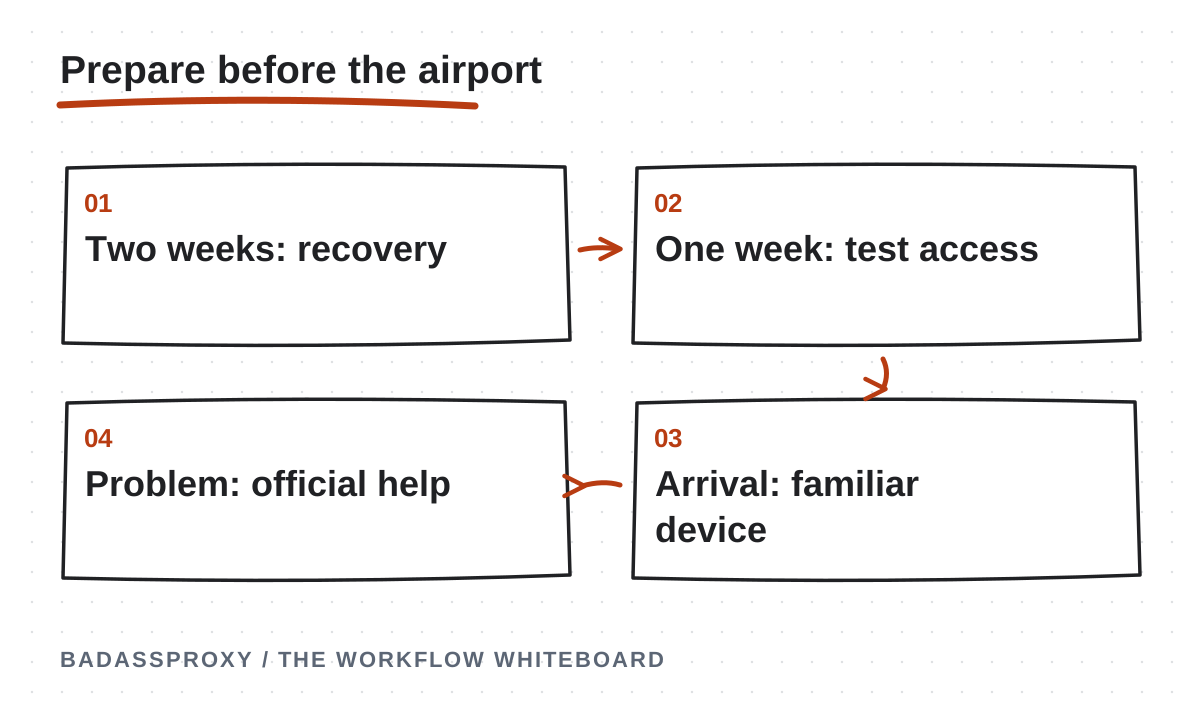
Two weeks before: confirm ownership
Open the account settings and verify the email and phone number attached to important profiles. Check that you can actually receive messages, not merely recognize the address. A recovery inbox you have not opened in years may have its own access problem.
Review business asset ownership and administrator roles. If a client owns the account, confirm who can approve recovery and where that person can be reached. Do not assume an agency login grants authority to replace ownership details or change someone else's recovery information.
Create a protected inventory of accounts, owners, recovery channels, and support routes. Reference secrets stored in a password manager without copying them into the inventory. The document should tell you where to go during a problem without becoming a collection of reusable credentials.
Two weeks before: prepare authentication
Enable an available two-factor method that will remain usable during the move. If you rely on text messages, confirm that the number stays active and can receive them abroad. A replacement SIM with local data does not automatically retain your original recovery number.
Save backup codes securely and plan how to retrieve them if your main phone is lost. Avoid keeping the only copy in the same inaccessible device or account. Test your password manager's recovery arrangements as part of the same exercise.
Use Meta's security resources as the official starting point, then check the current controls available to your account. Methods and menu locations can vary. Do not assume a remembered screenshot describes the interface you will see during an emergency.
Ten days before: secure the travel devices
Update the operating system, browser, and official social applications. Review extensions and remove tools you no longer need. Use a strong screen lock and supported device encryption, and confirm that important files are backed up somewhere you can recover appropriately.
Review existing sessions and remove devices you no longer own or recognize. If something looks unauthorized, deal with that now rather than waiting until travel makes coordination harder. Secure connected email as well when it may be affected.
Know how to locate, lock, or revoke access from a missing device using your existing services. Try reaching those controls from another trusted device. A recovery feature is less useful when accessing it requires approving a prompt on the phone that has disappeared.
One week before: rehearse your fallback
Choose a quiet moment to verify that your backup access arrangements work. Confirm the recovery inbox opens, authentication methods are available, and the owner knows where emergency instructions live. Avoid unnecessary sign-outs from working sessions simply to create a dramatic test.
For a business, have the backup administrator confirm their legitimate permissions. Check that they can reach the assets they are expected to manage. A role invitation that was never accepted is not a functioning contingency plan.
Write down the result and resolve any gaps before departure. “Backup method tested on Tuesday” is more useful than “security should be fine.” Keep the note free of actual recovery codes and passwords, and store sensitive evidence only where authorized people can access it.
One week before: plan your connection
Decide how normal work will reach the internet: apartment service, mobile data, a suitable VPN, or a managed browser connection. Travel itself does not create a universal requirement for a proxy. Choose tools around the work you actually need to perform.
If a browser workflow needs a persistent exit, configure and test a static service before the flight. Confirm the assigned address, protocol, authentication, and renewal date. Check what happens after a restart or underlying network change, using non-sensitive browsing first.
A persistent AdsPower profile can organize that browser workspace when specialized management is useful. Keep its purpose clear and protect the profile data. Our Vietnam relocation guide explains how connection consistency fits alongside ownership and recovery.
Three days before: reduce operational surprises
Tell authorized teammates when you will be in transit and who can handle urgent work. Agree how to contact the recovery owner through a trusted channel. Avoid a plan that requires someone to send authentication codes into a group chat while you are offline.
Check service renewals and account notices that could expire during the journey. A proxy subscription, recovery phone plan, or password-manager subscription can become an avoidable interruption if every responsible person assumes someone else renewed it.
Save copies of essential content assets and schedules in your approved workspace. This does not replace account access, but it helps the business continue planning while a device or login problem is resolved. Keep customer information protected rather than copying everything indiscriminately.
The day before: pack for loss as well as use
Keep your primary device and recovery options organized so one lost bag does not remove every route to access. Consider the physical placement of a backup security key or securely stored recovery material. Convenience should not create a single point of failure.
Charge your devices, confirm the travel SIM plan, and keep essential instructions available offline where appropriate. Do not print passwords on a travel checklist or photograph backup codes into a publicly synchronized album merely to make them easy to find.
Avoid making unrelated major account changes at the last minute. Necessary security action should never be delayed, but routine reorganizing can wait until you have time to verify the result. Leaving for the airport halfway through a recovery change adds preventable uncertainty.
On arrival: begin with familiar access
Use the device and browser you normally control. Confirm the network and complete any legitimate captive portal before opening important accounts. Keep certificate validation intact and navigate through official apps or trusted bookmarks rather than links offered by strangers.
If the platform requests a normal verification step, complete it through the official interface. A new country does not automatically mean the password must be changed. Change credentials when appropriate for security, not simply because a blog claims travel requires it.
Compare login alerts with the time, device, and your actual activity. Approximate location labels can differ because of network routing. Remove sessions you cannot explain and investigate unauthorized changes instead of accepting every mismatch or treating every one as proof of intrusion.
If access fails: classify the message
Record the exact notice and any deadline or case reference. Determine whether it describes a suspension, a verification step, incorrect credentials, suspicious activity, or a connection failure. Different problems require different support routes and different evidence.
Use the Instagram access diagnosis guide to choose an appropriate next step. A suspended account needs the official review process. Suspected compromise needs security and recovery action. A broken hotel connection needs network troubleshooting rather than repeated password resets.
Keep a familiar working session available when safe, and coordinate with the owner before making overlapping changes. Never pay a stranger who promises an internal recovery shortcut, share email codes, or create replacement accounts to evade enforcement. Use the platform's legitimate processes.
If departure is within hours, prioritize the recovery inbox, working two-factor method, backup codes, and device lock. Confirm who can administer business assets while you are in transit. Defer optional tooling changes until you can test them properly. A rushed migration to a new browser or connection is not a substitute for those fundamentals.
Write down your first action for three scenarios: missing phone, inaccessible email, and an account suspension notice. Each should point to a legitimate recovery or review route and a responsible person. Keeping these responses distinct helps you act accurately when fatigue and unfamiliar surroundings make every interruption feel like the same emergency, even though the causes differ.
During the first month: refine the routine
Review what actually changed after the move. Confirm the recovery number still works, the backup administrator remains reachable, and the chosen connection performs as expected. Record intentional device or endpoint replacements so later alerts have useful context.
Use the digital nomad security guide for ongoing habits and the public Wi-Fi guide for shared-network decisions. The best travel setup is the one you can maintain consistently, not the one with the largest collection of tools.
Download the one-page checklist below and keep it with your travel preparations. Use it as a reminder, not a place to store secrets. Moving abroad will change your surroundings; preparation helps ensure that account control and recovery remain with the right person.

Two weeks before departure: identify the essential accounts
Start with the accounts that would interrupt important work if access stopped. Include the associated recovery email and business assets, not only the public social profiles. Identify the legitimate owner, the approved operators and the person who can authorise a change. A travel checklist is useful only when it describes the actual dependencies behind daily work.
Separate personal ownership from contractor access. A person who publishes for a client may not be able to complete the client's verification or change business administration. Record that boundary and confirm how to reach the owner during the trip. Do not assume the browser currently holding a session is enough to resolve every future prompt.
Check whether any essential asset depends on a former employee, old phone number or unmonitored inbox. Those are concrete preparation tasks. Resolve them through the appropriate official process while the responsible people are available. Avoid postponing ownership cleanup until the account is already inaccessible in another country.
Keep the inventory concise and protected. Use references to approved credential and recovery stores rather than copying secret values into the checklist. The document should help an authorised person find the process and responsible owner without becoming a new source of uncontrolled access.
Two weeks before departure: review recovery dependencies
Ask the legitimate owner to confirm access to the configured recovery channels. Check the supporting email account and any approved verification method that will be needed abroad. Available methods vary by account and platform, so use the current official settings rather than assuming an old screenshot still describes the arrangement.
Consider the loss of the primary phone or usual SIM. Determine what approved fallback remains available under that circumstance. Store sensitive recovery information securely and avoid keeping the only usable copy on the device whose loss it is meant to address. The exact arrangement should fit the organisation's supported process.
Rehearse access to the supporting systems without unnecessarily signing out of working accounts or triggering disruptive changes. Confirm that the owner can reach the protected store and relevant inbox. Preparation is about verifying dependencies, not deliberately creating an account emergency to see what happens.
Record the confirmation date and any unresolved action. “Owner confirmed access to the recovery inbox” is useful. “All accounts safe forever” is not. If a dependency remains open, name the person responsible and the next required step so it is not forgotten among packing tasks.
Ten days before departure: prepare the devices
List the laptop, phone and any approved backup device that carry business access. Apply supported software and security updates while you still have time to investigate an issue. Confirm the devices can be secured appropriately and that the operator understands the normal lock and access routine.
Identify where important working state lives. A persistent browser profile may contain active sessions and other sensitive data. Treat it as part of the access environment, not as an ordinary file collection. Follow the application's supported procedures for backup or transfer, and keep sensitive material within approved storage.
Check practical travel dependencies such as power, connectivity and the ability to reach recovery communication. These details can determine whether a routine verification prompt becomes a prolonged interruption. Do not assume a fallback device is ready merely because it exists in a drawer; confirm that it can support the intended legitimate task.
Record significant device changes before departure. If a replacement laptop or phone is planned, complete the transition with enough time for official verification where needed. Avoid combining the first use of a new device, a new recovery number and an unfamiliar network into one rushed moment immediately before client work.
One week before departure: review team permissions
Confirm that each operator has the platform role needed for the work they will perform. Where suitable native business permissions exist, use them to separate routine tasks from ownership and administration. A travel plan should not depend on circulating one unrestricted login through the team.
Check that an appropriate owner or administrator remains available during important handovers. Record the contact and time-zone expectations clearly. A contractor may be able to continue publishing while still needing the owner for a verification or authority change. Knowing that distinction helps the team schedule work honestly.
Remove obsolete access through the relevant controls when a person's role has ended. Update supporting browser or connection-tool permissions as appropriate. The inventory should describe current authorisation, not everyone who has ever participated in the project.
Ask the receiving operator to confirm the intended asset and next task before the main operator leaves. This small rehearsal can expose a missing role or confusing workspace label while the responsible people are still readily available. Fix those concrete issues instead of assuming the handover will work because it worked once months ago.
One week before departure: test the connection plan
Identify the applications that genuinely need a separately managed route. A browser workspace, a phone's native app and another desktop tool may have different requirements. Write down the scope before choosing a proxy or VPN. A setting inside one browser does not automatically establish the route used by every application on the device.
If the plan includes a static proxy, configure the intended profile using the provider's current supplied details. Perform a basic connection check and inspect the observed exit from inside that profile. Record the result and the protected credential reference. Keep account verification separate from the routing test.
If a VPN is part of the plan, review its supported application coverage and any relevant exclusions. Confirm assignment behaviour independently if continuity is required. The VPN comparison explains why coverage, transport protection and address assignment are separate questions.
Test an approved fallback connection where practical. Use ordinary work conditions and record any limitation. A fallback that has never been tried may become an additional troubleshooting task during a deadline. Preparation should produce an understandable plan, not a collection of unused tools whose configuration nobody can explain.
Five days before departure: prepare a business handover
Write the current task state for each important asset. State what is complete, what is waiting for approval and what should happen next. Use named time zones for deadlines. Avoid phrases such as “tomorrow morning” when the receiving operator and client may be in different countries.
Identify the correct workspace and approved access process. Link to the relevant operating instructions and content assets. Keep passwords, recovery codes and identity material out of the handover document. A colleague should receive enough context to continue legitimate work without being given unnecessary ownership authority.
Include the escalation path for three separate problems: the browser application, the connection service and the platform account. Each has a different responsible party. A clear handover prevents an account-verification request from being sent to a proxy provider that cannot resolve it.
Ask the receiving operator to describe the next action back to you. If they cannot identify the right asset, owner or support path, improve the note. The handover is ready when another authorised person can use it accurately, not merely when a long document has been written.
Three days before departure: review service ownership
List the browser and connection subscriptions needed for the trip. Identify the purchaser, renewal date and responsible support contact. Keep billing and authentication details in their proper protected systems. The travel note needs a service reference and owner, not a complete copy of financial information.
Confirm that operational notices reach an actively monitored address. If the purchaser will be in transit, assign an authorised backup for relevant maintenance. A service can be technically suitable while its renewal process remains fragile. Resolve that administrative dependency before it affects a live workspace.
Review whether each subscription still meets a real requirement. Remove unnecessary products from the plan deliberately, updating any affected configuration and instructions. More tools are not automatically more reliable. A smaller arrangement can be easier to understand when every component has a clear purpose.
For a service that must continue, check current terms relevant to assignment and renewal. Do not infer continuity from an old invoice alone. Keep the provider's confirmation with the operational record and perform the relevant acceptance check after a meaningful service change.

The day before departure: freeze unnecessary changes
Use the final day to confirm the prepared arrangement rather than invent a new one. Check the essential devices, recovery references and contact plan. Avoid optional account or configuration changes that cannot be verified before travel. Necessary security actions still take priority, but routine experimentation can wait for a suitable working window.
Make sure the intended owner can receive important communication during transit. If a flight or connection gap will make them unavailable, tell the authorised team who can coordinate independent work. Do not imply that another operator can complete an ownership check on the owner's behalf unless the platform's legitimate process supports that arrangement.
Keep a concise offline-accessible reference to non-secret emergency contacts and the operating process where appropriate. Protect any sensitive material according to the organisation's requirements. The goal is to find the next responsible action when connectivity is inconvenient, without scattering recovery secrets into travel notes.
Confirm the next work session and its prerequisites. Know which device, workspace and account will be used after arrival. A clear starting point reduces the temptation to rebuild the environment from memory while tired, distracted or dealing with an unfamiliar venue network.
At the airport: preserve the prepared environment
Treat transit as a period where attention and connectivity may be limited. Keep devices physically controlled and avoid leaving active sessions accessible when moving through the terminal. Use the prepared workspace for necessary work and keep sensitive administrative changes for an environment where you can complete them accurately.
Confirm the network you intend to join through an appropriate trusted source. Complete only the legitimate access process, and do not enter social-account credentials into an unfamiliar portal claiming they are needed for Wi-Fi. Keep certificate validation intact. A routing product does not make an unexpected destination trustworthy.
If the connection is unreliable, continue independent work where possible. Draft approved content, organise assets or update a schedule without attempting restricted account actions. Communicate any dependency honestly. A rushed series of logins from several unfamiliar environments is unlikely to produce a clearer diagnosis than waiting for a usable connection.
Keep recovery devices available and secured. If a legitimate platform prompt requires the owner, follow the official process and record the result. Do not send verification codes to an unverified helper who offers to resolve the problem while you board a flight.
On arrival: establish ordinary connectivity first
Confirm the intended network and complete its legitimate access process. Test an ordinary public page before opening important account work. A venue portal or weak connection can resemble a platform problem when the browser cannot reach the internet normally. Diagnose the underlying connection before changing account information.
Open the prepared browser workspace and verify the relevant route if it is part of the plan. Perform the observation in the correct profile, not another browser. Record an unexpected result and inspect the supported configuration rather than rapidly switching providers or countries.
Use the genuine platform for the first authorised task. If a verification prompt appears, involve the legitimate owner and follow the offered official process. Travel preparation cannot guarantee that no check will occur; it makes the required dependencies easier to access when one does.
Record the new normal environment briefly. Identify the device, application and connection arrangement that now supports work. This gives context for later alerts without treating every ordinary network change as an incident. Keep account ownership and recovery information accurate throughout the move.
During the first week: review real observations
Check whether the prepared workflow matches actual working conditions. The apartment connection may differ from the expected venue network, or a team handover may expose an unclear role. Record concrete problems and resolve them at the appropriate layer. Do not redesign the entire setup solely because travel feels unfamiliar.
Review any login alerts using the time, device and activity as well as the displayed location. A location estimate is not a precise physical locator. If an event remains unexplained, use the platform's security controls. The travel location guide explains how to separate routing context from account ownership.
Update instructions that proved inaccurate. If the proxy scope was misunderstood or the support contact was outdated, correct the working note. Keep a record of the verified result so the next operator does not repeat the same investigation.
Reassess workload and handover timing across time zones. A technically working account can still be difficult to operate if the owner is unavailable whenever approval is needed. Adjust responsibilities and schedules within the legitimate permission structure. Connection tools cannot solve an unclear business process on their own.
If a phone is lost or damaged abroad
Identify the accounts and recovery methods affected by the device loss. Use the approved fallback arrangements that were prepared and involve the legitimate owner where necessary. If someone else may have access to the device, follow the relevant security controls for the device and accounts. Keep the response tied to the actual exposure.
Use a trusted environment for official recovery. Do not give passwords, codes or session exports to an unsolicited helper. Preserve a concise timeline and keep sensitive evidence in the approved location. A general team update should state the impact and next action without distributing private recovery material.
Continue independent authorised work where possible. An account dependency should be marked accurately as waiting for the required owner action or official response. Avoid promising a restoration time without evidence. The team can remain productive while being honest about the unavailable access.
After establishing the replacement arrangement, verify the relevant recovery dependencies and update the device inventory. Review what the incident revealed about the original plan. Improvements should address concrete weaknesses, such as a fallback stored only on the lost device, rather than unsupported theories about the country where the incident occurred.
If the account requests verification abroad
Read the exact prompt in the genuine application. Confirm that you initiated the action and identify the method the platform is requesting. A code prompt is not automatically a suspension, and a suspension notice is not simply a network error. The wording determines the appropriate response.
Use the official process available to the legitimate owner. If the requested method is unavailable, follow the current recovery options rather than repeatedly requesting codes to an inaccessible destination. Preserve useful trusted access where appropriate and avoid unnecessary changes that could complicate the record.
Document the action and result. State whether the owner completed the requested step or whether a response is pending. Keep the timeline factual and coordinate through a responsible incident lead if several people are involved. Multiple conflicting recovery attempts can make the situation harder to understand.
After access is restored, review the preparation gap supported by the evidence. The account interruption guide provides a structured way to separate verification, compromise, enforcement and technical failures. Do not assume a new connection purchase is required when the actual issue concerns ownership or recovery.
If the working connection stops responding
Confirm basic internet reachability and the intended application configuration. A failed venue connection, proxy authentication problem and account notice are different issues. Record the visible error and the point where work stops. Use a harmless connection check before attempting sensitive account actions.
Contact the provider responsible for the affected layer with the relevant non-secret information. Include the application, time, product reference and observed failure. A connection provider does not need the social account password or recovery code to investigate its service.

Use an approved fallback according to the documented conditions, if one is available and appropriate. Record the change and verify the affected workflow. Avoid cycling through unrelated routes without a clear purpose. The fallback should simplify the immediate dependency rather than create an undocumented new environment.
Once service returns, decide which route should remain in use and update the operating note. Close the connection task based on a verified result. If an account verification task remains, keep it visible separately instead of declaring the entire incident complete after one page loads.
Questions to answer before packing
Should I change my password just because I am moving?
Make password changes for a legitimate security or account-management reason and follow the platform's supported process. A move by itself does not identify a particular account problem. Focus on current ownership, protected credentials, usable recovery and trusted devices. Avoid last-minute changes that cannot be verified before departure.
Can I rely on the phone that receives my codes?
Treat it as an important dependency and prepare for loss, damage or unavailable service. Review the account's supported methods and approved fallback arrangements before travel. Keep sensitive recovery information protected. The plan should explain what the legitimate owner can do if the primary phone is unavailable, rather than assuming it will always work.
Should I buy a proxy before every international trip?
Only when it serves a defined legitimate connection requirement. Many preparation tasks concern recovery, device security and permissions rather than routing. If a managed browser needs a consistent exit, evaluate and test a suitable service before departure. Do not buy it as a promise that the account will never require verification.
What should a client know about my travel setup?
Explain the approved work arrangement, availability, handover contacts and any owner-dependent verification requirements. Keep account information accurate and avoid unsupported claims about guaranteed access. The client does not need a copy of every configuration secret to understand who is responsible for the work and how an interruption will be handled.
Is the first successful login enough to finish preparation?
It is one useful observation, but the broader routine also needs recovery, permissions and maintenance responsibilities. Confirm the tasks required for normal authorised work and record remaining dependencies. A successful session does not guarantee every future network or account outcome, so keep the supporting process understandable.
What should be removed from the travel checklist after the trip?
Retire obsolete temporary arrangements deliberately. Review unnecessary subscriptions, outdated device references and permissions that no longer serve the work. Keep relevant incident lessons and current operating instructions. The checklist should evolve with the business rather than accumulate every temporary workaround indefinitely.
Make the checklist an operating document
Assign a responsible person and an observable result to each preparation task. The owner confirms recovery access, the operator verifies the workspace and the purchaser maintains required services. Mark an item complete only when its intended result has been checked. This keeps the checklist useful without turning it into a collection of reassuring but unverified statements.
Use the downloadable one-page version as a reminder and this article for the reasoning behind each stage. Keep secrets in their designated protected systems. The strongest travel preparation is a small, current set of records that helps legitimate owners and operators respond accurately when the environment changes.
A final readiness conversation with the account owner
Before departure, review the checklist with the person who controls the important business assets. Ask them to confirm the recovery channels they can use, the operator roles they have approved and the contact arrangement during travel. The conversation should resolve real dependencies rather than simply produce agreement that everyone is prepared.
Walk through one interruption scenario. If the laptop cannot connect, the operator checks the network and configured service. If the genuine platform requests ownership verification, the owner follows the official process. If unexpected activity appears, the owner uses the relevant security controls. Clear separation makes it easier to choose the right response under pressure.
Confirm what the team can continue independently. Approved drafting, asset preparation and scheduling work may remain available while an account action waits. Record the actual dependency and avoid promising that a connection product will remove it. This gives the owner a realistic picture of business continuity without overstating what the technical setup can do.
Finish by naming the next review trigger: arrival, a replacement device, a changed recovery method or another meaningful event. The checklist should stay current as the environment changes. Keep sensitive information in protected systems and update the non-secret operating references that authorised colleagues use.
Bring the checklist home with the lessons retained
After the move or trip, review temporary permissions, subscriptions and device arrangements. Retire what is no longer required through the appropriate supported process. Confirm the intended working environment afterward, especially if a temporary connection setting was removed. The team should not need to guess which parts of the travel setup remain active.
Retain any useful incident lesson with its evidence and limits. If a problem was caused by an unavailable recovery method, improve that dependency. If the cause remained unknown, record the uncertainty rather than inventing a country-specific explanation. Good preparation becomes more useful when each review improves the actual operating process.
Keep the checklist short enough to reuse before the next departure. Its durable purpose is to connect legitimate ownership, recovery, devices and authorised work. The travel details will change; the need for clear responsibilities and verified preparation remains.