
Digital nomads have a particular account-security problem: the environment changes while the business still needs to run. A creator may cross a border, replace a SIM, move into a new apartment, and publish a campaign in the same week. Preparation matters more than improvising after a login fails.
Protecting Instagram and Facebook starts with ownership and recovery. A proxy can provide a useful network route, but it cannot recover an inaccessible inbox or replace a phone that holds your only authentication method. Build the recovery plan before choosing connection tools.
The goal is a routine you can follow when tired, offline, or working from somewhere unfamiliar. Keep it small enough to use and clear enough that an authorized teammate can help without receiving every secret you own.
Map the accounts your work depends on
List the social profiles, business assets, connected email accounts, and publishing tools that matter to your income. Record the owner and responsible operator for each. An account that appears unimportant may still control recovery or access to a business page.
Identify the connections between them. If one email inbox recovers your social accounts and password manager, losing it has wider consequences than missing a few messages. If one contractor is the only business administrator, their departure can interrupt work even when every password is correct.
Use a protected inventory without embedding passwords. Link to entries in your password manager and document the recovery owner. Review the map whenever you add a client, delegate a role, or change the device you rely on during travel.
Make recovery survive a SIM change
Check whether the number attached to each account will remain active abroad. A local data SIM does not automatically preserve access to messages sent to your home number. Confirm carrier arrangements before departure instead of discovering the limitation during a challenge.
Choose an available two-factor method you can retain while traveling, and save backup codes securely. Consider what happens if the phone holding your authenticator is lost. A backup is useful only if you can retrieve it without first signing into the account it is meant to recover.
The Meta security resource provides official starting points. Use current account settings to verify the methods actually available to you. Do not assume that a method enabled on one Meta account automatically protects every other account you manage.
Protect the devices carrying your sessions
Use a strong device unlock method, current software, and disk encryption where supported. Keep your laptop physically controlled in public spaces. A browser left open on an unattended computer can be a more immediate problem than an imperfect IP location label.
Review installed extensions and remove unnecessary ones. Browser extensions can have broad permissions, so do not install a tool simply because a stranger says it will fix a challenge. Obtain software through its official distribution channel and keep updates enabled.
Prepare for device loss. Know how to locate, lock, or revoke access from your devices using the services you already use. Test that you can reach those controls from another trusted device without relying exclusively on the missing phone's authentication prompt.
Establish a normal browser workspace
Choose the environment you will use for important browser work and keep it organized. A persistent profile preserves session data and helps separate client tasks. That can reduce accidental publishing from the wrong account and make handovers easier to explain.
AdsPower is one option when you need managed profiles and individual proxy settings. A conventional dedicated browser profile may be enough for simpler personal work. Choose based on the actual organizational requirement, not a claim that specialized software makes account access invisible.
Avoid clearing cookies or rebuilding profiles as a daily habit. At the same time, continue security updates and remove compromised sessions when needed. Our profile and static proxy setup guide explains how continuity and security fit together without treating persistence as an absolute rule.
Decide how the connection should behave
Your everyday route might be apartment Wi-Fi, a trusted hotspot, or an appropriate VPN. A static proxy becomes relevant when a particular browser workflow needs a consistent exit across those changing underlying networks. It is an optional control for a defined purpose.
Write down which applications use the route and which do not. A browser proxy does not automatically cover your phone, another browser, or background uploads. If you need broader device coverage, evaluate that requirement separately instead of assuming one profile setting changes everything.
Test the chosen setup before departure and record renewal responsibility. The Vietnam relocation guide provides an example of managing international change. The country is context; a repeatable routine is what makes the setup easier to support wherever you travel.
Use public networks thoughtfully
Confirm the hotspot name with the venue and avoid bypassing browser certificate warnings. Complete legitimate captive portals before starting sensitive work. A portal asking for your social password or authentication code deserves suspicion; internet access should not require handing over control of your account.
Modern HTTPS provides meaningful protection even on public networks. Public Wi-Fi should not automatically be described as exposing every password. However, unreliable connections, fake websites, malicious downloads, and unattended devices still create practical risks that a padlock cannot solve.
Read the hotel and cafe Wi-Fi guide for a careful explanation. Use a trusted hotspot when it gives you a more predictable connection for account administration. The purpose is to reduce uncertainty, not to suggest every coffee shop network causes account enforcement.
Give teammates the right access
Use the platform's available business roles and least necessary permissions. Publishing, advertising, billing, and recovery do not always require the same level of access. A contractor creating content should not automatically become the only person capable of administering the entire business.
Record when access begins, which assets it covers, and how it ends. Review native platform roles as well as browser workspace access when someone leaves. Removing a profile permission does not necessarily remove an independent role the person holds inside the platform.
Avoid sending shared passwords and codes through casual chat. Use a controlled access process and a trusted channel for urgent coordination. A static IP can organize a network route, but it does not establish which teammate is allowed to make an account change.
Plan for the day something fails
Choose an incident lead and an alternate. Write a short response plan: record the exact notice, identify the affected account, check for unauthorized activity, and use the matching official recovery route. Keep that plan available outside the account most likely to be inaccessible.
If compromise is suspected, prioritize security over continuity. Revoke unfamiliar sessions, secure connected email, and change compromised credentials through official controls. If the issue is a suspension, use the review process. If it is a network outage, investigate connectivity without repeatedly resetting the account.
Tell clients what is actually affected and when you will next update them. Avoid promising recovery within an invented deadline. A factual operational update is more useful than confident guesses about whether a new proxy will restore access.
Keep the business running during recovery
Maintain copies of content assets and schedules in an authorized workspace separate from a single social login. Know how to reach customers through another established channel if publishing pauses. Business continuity should not depend entirely on one account remaining available every minute.
For teams, ensure another authorized administrator can perform appropriate tasks without using a lost device's session. Test permissions before an emergency. Do not create replacement identities to evade a restriction; continuity planning means preserving legitimate operations within the platform's rules.
Keep your recovery evidence organized. A timeline of messages, case references, device changes, and official instructions can help the owner avoid duplicate attempts. Protect identity documents and private customer information rather than including them in broad team status updates.
For a practical travel rehearsal, imagine your phone is unavailable for a full day. Identify how you would unlock the password manager, reach the recovery inbox, contact the account owner, and continue essential publishing through an authorized colleague. If any answer depends entirely on that phone, fix the dependency before departure. The exercise should reveal operational gaps without requiring you to disable working security controls or share secrets with anyone who lacks permission.
Review the routine between trips
After each move, review what changed and what caused friction. Perhaps the carrier did not deliver messages, the proxy renewal reminder reached the wrong person, or the backup administrator lacked a needed permission. Fix the actual weakness while the details are fresh.

Use the moving abroad checklist before the next departure. A brief rehearsal can reveal whether your password manager, recovery email, authentication method, and secondary device work together. Testing the whole recovery path is more valuable than merely confirming that codes exist somewhere.
If a persistent browser route is part of that plan, explore BadAssProxy static options. Keep the purchase tied to a clear requirement and retain the surrounding security routine. Travel will keep changing; account ownership and recovery should remain under your control.
Start with an account ownership inventory
Digital nomad security begins with knowing who controls each account and why it matters. List the personal profiles, business Pages, advertising assets and associated email accounts that support your work. Identify the legitimate owner, the approved operators and the person who can authorise changes. A list of usernames alone is not enough when recovery depends on someone who is no longer involved.
Separate ownership from daily use. An agency contractor may publish content without owning the client's account or controlling its recovery email. Keep that arrangement explicit. When a verification request appears during travel, the operator should know which person must act rather than improvising access or asking a group chat for whoever remembers the password.
Record the recovery dependency without recording the secret. Note whether the owner has confirmed access to the relevant email or other configured method, and when that confirmation occurred. Keep backup codes and sensitive recovery material in the approved protected location. The inventory should help an authorised person find the process without becoming an additional credential store.
Review the inventory when a client, operator or business relationship changes. Remove obsolete permissions through the appropriate platform controls and update the responsible contact. Travel can expose weaknesses that existed long before the flight, such as an essential account tied to a former employee's phone. Resolve those dependencies while the owner is available.
Prepare for the loss of the primary phone
Think through what remains available if the phone is lost, damaged or temporarily inaccessible. Can you reach the recovery email from a trusted alternative device? Do your configured verification methods have an approved fallback? Does the legitimate owner know where protected recovery information is stored? These questions are more useful than assuming a phone will always be nearby.
Keep the fallback separate enough to survive the same incident. A note stored only on the missing phone may not help when that phone is the problem. The exact arrangement depends on your organisation and the account's supported methods, so choose a protected approach you can actually maintain. Do not place recovery secrets in an unprotected travel document for convenience.
Rehearse access to the supporting systems without unnecessarily disrupting working sessions. Confirm that the owner can use the password manager or protected store and can reach the relevant recovery channel. You do not need to trigger every account's full recovery process merely to prepare. The goal is to verify the dependencies you are relying on.
Document who helps if the primary operator is unavailable. An authorised colleague may be able to maintain independent business work or coordinate with the owner, even if they cannot complete the owner's verification. Keep the responsibility narrow and clear. A fallback plan should preserve legitimate control, not distribute unrestricted account access to everyone on the team.
Treat the recovery email as a critical account
The email address receiving account notices deserves its own security review. Confirm the legitimate owner, current access and recovery arrangements. Protect it with appropriate authentication and device practices. A social account can remain vulnerable if the inbox controlling its recovery is still accessible to someone who should no longer have access.
Review the way the inbox is used during travel. Avoid signing into it on shared venue computers or allowing an unverified helper to operate the session. Keep software current and pay attention to unexpected account changes. Use the email provider's official security controls when something appears wrong, rather than relying only on the social platform's recovery process.
For business accounts, use an arrangement the organisation can support over time. A critical client asset should not depend on an address that only one departing contractor understands. Document the responsible owner and approved access process without sharing the mailbox password broadly. The right design depends on the organisation, but it should survive an ordinary staff or device change.
Include the inbox in incident planning. If recovery messages stop arriving or account details change unexpectedly, record that as a separate issue with its own next action. Restoring a social session does not automatically resolve control of the email account. Verify both layers before declaring the incident fully closed.
Make a device inventory useful during travel
List the devices that hold meaningful business access, including laptops, phones and any approved backup device. Record the responsible person, normal purpose and relevant recovery role. Keep the inventory separate from secrets. You should be able to identify which lost device needs attention without exposing every account credential in the same document.
Apply the organisation's supported security settings and updates before departure. Confirm that devices lock appropriately and that the operator understands how to secure them when stepping away. A persistent browser workspace can be useful for continuity, but its active sessions make physical access to the device important. Treat it as a working business environment rather than an interchangeable travel accessory.
Consider where work will happen. A private apartment desk, a shared coworking table and an airport lounge expose different practical distractions. Position screens carefully, keep devices with you or secured appropriately and avoid leaving active sessions accessible while moving between locations. These habits support account security without requiring a specialised network product.
Update the inventory after a repair, replacement or handover. Confirm which device now carries the working environment and how the old device's access is handled. A replacement is not complete when the new laptop merely turns on. The team needs an accurate picture of where legitimate access exists and who is responsible for maintaining it.
Use native business roles to reduce shared-login confusion
Where the platform provides suitable business permissions, use them to assign the work people actually need to perform. Keep ownership and recovery with the legitimate owner. A clear role arrangement makes it easier to understand who may publish, manage assets or approve changes without circulating one unrestricted login through an entire team.
Review permissions before a long trip or major handover. Confirm that the intended operator can reach the required asset and that an appropriate owner or administrator remains available. Do not wait until a deadline to discover that the only person able to approve a change is on a flight or no longer works with the business.
Document the escalation path in ordinary language. The operator should know who to contact when a task requires additional authority, and the owner should understand the request. Keep recovery codes out of routine handovers. The handover should explain the process and responsibilities rather than erase the distinction between ordinary work and ownership verification.
Remove access when the business relationship ends through the platform's appropriate controls. Update the operating note and any supporting tool permissions as well. A browser profile or proxy subscription can be part of the workflow, but neither replaces an accurate account of which people are currently authorised.
Build a travel connection plan around real work
List the applications that must work during the trip and the tasks that can wait. A browser used for client publishing may have different needs from a phone used for messages or recovery. Decide whether any application needs a separately managed route, and document that scope. Do not assume every traveler requires the same connection products.
If a static proxy supports a persistent browser requirement, test it before departure using the provider's actual instructions. Record the profile, configuration reference and observed result. If a VPN is part of the plan, verify its coverage for the relevant applications. The VPN and proxy comparison explains why coverage and address continuity should be evaluated separately.
Prepare an approved alternative network where practical, such as a personal hotspot. Test the ordinary workflow rather than relying on an unverified fallback. Record any known limitation and the person responsible for resolving it. A fallback that nobody has tried may become a second investigation during an already stressful interruption.
Keep connection problems separate from account notices. A venue portal, expired proxy service or weak local connection requires network diagnosis. An ownership check or suspension notice requires the platform's official process. The connection plan should make that distinction easier to recognise, not encourage the team to treat every interruption as an IP problem.
Use public workspaces with a calm routine
Confirm the network you intend to join and complete its legitimate access process. Do not enter social passwords or verification codes into an unfamiliar portal that claims they are needed for Wi-Fi. Keep certificate validation intact. A routing tool does not make a deceptive destination trustworthy or remove the need to check where sensitive information is being entered.
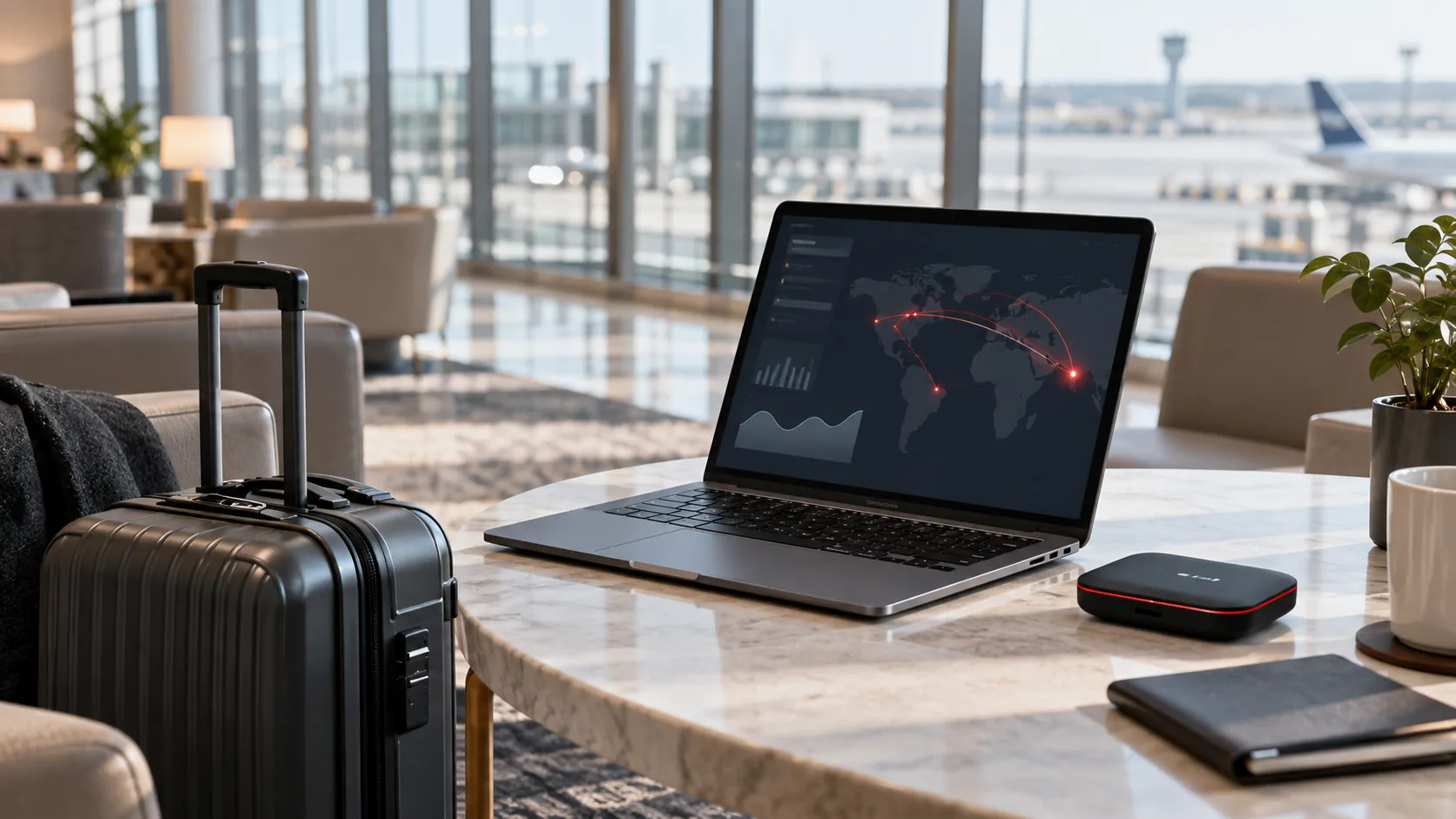
Pay attention to the physical workspace as well. Keep devices within your control, lock them when appropriate and avoid exposing private client information to nearby people. A busy café can create ordinary mistakes such as leaving a logged-in laptop while collecting an order. Security habits should account for those practical conditions, not only the network connection.
Separate routine publishing from sensitive administrative changes when the environment is distracting or unreliable. If a task can wait until you have a private, stable workspace, schedule it accordingly. This is an operational choice, not a claim that legitimate work on public Wi-Fi is inherently unsafe. The objective is to choose conditions in which you can perform the task accurately.
When something fails, record the actual symptom before switching tools. A captive portal or interrupted upload is different from an unexplained account change. Use the public Wi-Fi guide to organise the first checks. The calmer the diagnosis, the less likely you are to make several unrelated changes that obscure the original problem.
Prepare for time-zone handovers
Write deadlines with a named time zone and identify the person responsible for the next action. Avoid relying on phrases such as “tomorrow morning” when colleagues are in different countries. Clear timing helps the team distinguish a missed handover from an account-access problem and reduces unnecessary emergency logins by multiple people.
Include the current account or campaign state in the handover. State what has been completed, what is waiting for approval and what should happen next. Link to approved working assets and instructions rather than attaching sensitive session material. The receiving operator should be able to continue the task without guessing which account or browser workspace was intended.
Define when the account owner needs to be available. An owner may be required for verification or a change in authority, while ordinary content work can continue through existing approved roles. Knowing that boundary helps schedule travel and work without pretending that every team member can complete every account action.
After a handover, record any important change to the operating environment. If the route, device or responsible person changed, update the note. The goal is a current description of legitimate work, not a detailed surveillance record of every click. Keep the information useful, proportionate and accessible only to the people who need it.
Recognise when an interruption becomes an incident
A slow page or failed upload is an operational interruption. An unexpected password change, unknown administrator or message you did not send may indicate a security incident. The two can occur close together without having the same cause. Record the concrete observations and choose the response that matches them.
For a possible account compromise, use a trusted device and the platform's genuine recovery or security process. Secure the associated recovery channels and coordinate with the legitimate owner. Preserve useful evidence privately. Avoid sending sensitive material to an unsolicited helper or allowing someone to take control of the working session merely because they claim to know a shortcut.
For a connection interruption, investigate the network and configured service before altering account settings. Confirm basic reachability, the intended route and the relevant provider status. Keep the investigation bounded to the observed failure. If the platform subsequently presents an ownership prompt, open the appropriate account task rather than continuing unrelated connection experiments.
Use a clear status in team communication. State what is affected, what remains available and the next responsible action. Do not promise a restoration time without evidence. Continue independent work where possible, and keep the waiting dependency visible so a quiet period is not mistaken for a resolved incident.
An illustrative lost-phone response
Imagine a traveling operator whose phone is damaged while the laptop remains secure. The operator identifies which accounts rely on the phone and informs the legitimate owners of any affected verification dependency. They use previously prepared, approved recovery options where available rather than borrowing another person's identity or sending codes through an uncontrolled chat.
An authorised colleague continues work that does not require the missing verification method. The operator keeps a concise incident record and follows the relevant providers' official procedures. If the phone may be accessible to someone else, the response also addresses the device and its active sessions through the appropriate security controls.
Once the replacement arrangement is established, the operator verifies the recovery methods that will support future travel. They update the device inventory and remove obsolete instructions. The incident review focuses on concrete improvements, such as ensuring that an approved fallback is not stored only on the primary phone.
This scenario is illustrative. Available recovery choices depend on what was configured and what the provider currently offers. The important preparation is to understand those dependencies before the loss, while the owner has time and access to verify them calmly.
An illustrative client-handover response
A small agency schedules a handover while the main operator is changing countries. Before departure, the client confirms ownership, the incoming operator receives the appropriate business role and the team checks the intended workspace. The handover identifies approved tasks, pending decisions and the owner who can respond to verification requests.
The browser configuration is documented separately from the account permissions. If a static route is part of the workflow, the receiving operator can locate the protected connection reference and perform the relevant check. They do not receive a bundle of unrestricted session exports as a substitute for legitimate access.
During the handover, an unexpected prompt appears. The incoming operator records the wording and identifies whether it concerns the connection or the account. The client completes any required ownership step through the official process. Other approved work continues while that dependency is addressed, and the timeline records the verified result.
The example shows how clear responsibilities reduce confusion during travel. It does not promise that preparation eliminates verification. It makes the request easier to handle because the people involved know the asset, the operating environment and the person authorised to act.
Review subscriptions and support dependencies
List the connection and browser services on which the workflow relies. Identify the purchaser, renewal owner and support contact. Keep the actual credentials in the approved store. A traveling team should be able to distinguish a service outage from a missed renewal without searching through private messages from a former operator.
Check that operational notices reach an actively monitored address. If the main purchaser will be in transit, assign an authorised backup to handle a relevant notice. The backup needs a clear process and appropriate access, not an informal copy of every secret. Record the responsibility before the trip begins.
Review whether each subscription still serves a real need. A tool added for an earlier journey may no longer fit the current work. Retire unnecessary configuration deliberately and update the operating note. Removing an unused dependency can make the environment easier to understand and support.
After a renewal or service change, perform the relevant acceptance check. Confirm the purchased product and current configuration rather than assuming continuity from an old invoice. Subscription maintenance is an ordinary part of a dependable workflow, alongside ownership, device security and recovery preparation.
Questions digital nomads should answer in advance
Can I recover access without my usual SIM?
That depends on the account's configured methods and current official recovery options. Review them before travel and verify the supporting dependencies with the legitimate owner. Do not assume that buying a new SIM or changing a proxy will replace an unavailable ownership check. Keep approved fallback information protected and accessible under the circumstances it is meant to address.

Should I use one device for all business accounts?
Choose a supported arrangement that matches the organisation's access and security requirements. Clear profiles and native permissions can help organise work, but one device is also a dependency that needs a recovery plan. Document the important applications and authorised roles rather than treating the number of devices as a complete security strategy.
Do I need to change routes every time I travel?
Start with the existing legitimate requirement and the behaviour of the configured service. A physical move does not by itself establish that every browser route must change. Verify the actual application and provider terms. If the platform requests verification, follow the official process. Avoid unnecessary changes that make the environment harder to explain.
What should a teammate receive in a handover?
Provide the authorised asset, task status, workspace label, approved access process and responsible contacts. Include relevant non-secret configuration references and known limitations. Keep passwords, recovery codes and identity material in their designated protected systems. The handover should transfer understanding and responsibility without creating uncontrolled copies of sensitive access information.
How often should the travel plan be reviewed?
Review when a meaningful dependency changes: device, operator, recovery method, client ownership or connection service. A pre-departure check is also useful. The aim is an accurate operating record, not frequent paperwork without a reason. Confirm the changes that matter and remove instructions that no longer describe the real environment.
What can continue during an account interruption?
Identify independent tasks such as drafting approved content, organising assets or updating the internal schedule. Avoid restricted account actions until the appropriate process resolves the dependency. Communicate the practical impact and next responsible action honestly. Continuing useful work should not be confused with bypassing an ownership check or declaring the account restored.
Keep the routine small enough to follow
A security plan only helps when people can use it during ordinary work. Keep the essential account inventory, recovery references, device list and connection instructions easy for authorised operators to find. Remove duplicate or conflicting notes. A short current record is more useful than a large collection of outdated travel checklists.
Assign responsibility to real people and define observable outcomes. The owner confirms recovery access, the operator verifies the workspace and the purchaser maintains the required service. Review actual incidents for improvements supported by evidence. This creates a travel routine that can evolve without depending on unsupported promises about networks or platform behaviour.
A monthly review for a changing travel routine
Once travel becomes ordinary life, temporary arrangements can quietly become permanent. Review the important account dependencies at a practical interval or after a meaningful change. Confirm that the legitimate owners and approved operators are still correct, that recovery communication reaches an active account and that the devices holding business access are still under the right person's control.
Check the operating record against reality. Does the browser still use the documented connection? Is the listed service still needed? Can an authorised colleague find the support path without asking the original purchaser? Correct discrepancies while work is running normally. Small maintenance tasks are easier to complete before they become dependencies during an incident.
Review the handover schedule across time zones. A team may have the right technical permissions but still struggle because an owner-dependent approval is always requested when the owner is unavailable. Adjust the work plan within the legitimate access structure. Do not solve a scheduling problem by distributing unrestricted account control more widely than the work requires.
Look at any actual interruption since the last review. Identify the observation, the confirmed cause if known and the improvement supported by the evidence. If the cause was never established, retain that uncertainty. A successful recovery after several changes does not prove that the final change caused the recovery or that a particular country was responsible.
Retire temporary travel workarounds deliberately
When a fallback is no longer needed, decide how it should be removed. Update obsolete browser settings, review unused subscriptions and handle credentials through the approved process. Confirm the intended route afterward if the change affects important applications. The team should know which arrangement is current rather than inherit several alternatives with no explanation.
Apply the same discipline to temporary access. If a colleague received an approved role for a short handover, review whether that role should continue. Use the platform's relevant controls and update the inventory. The end of a trip does not automatically remove permissions or clear sessions that were created during it.
Keep the lessons that remain useful and discard instructions that describe an abandoned environment. A travel security routine should become easier to follow over time. Clear ownership, protected recovery, known devices and a proportionate connection plan are the durable parts; the particular hotel, flight or temporary workspace is usually context rather than a permanent operating requirement.
The resulting record should allow an authorised person to answer a simple question: what is the normal way we work now, and who acts when one part fails? That clarity supports reliable business activity as locations change, without depending on a promise that any tool can eliminate every account challenge.